Latest desk tour
Taeyoung
With products we picked ourselves
Build your desk setup
See all products →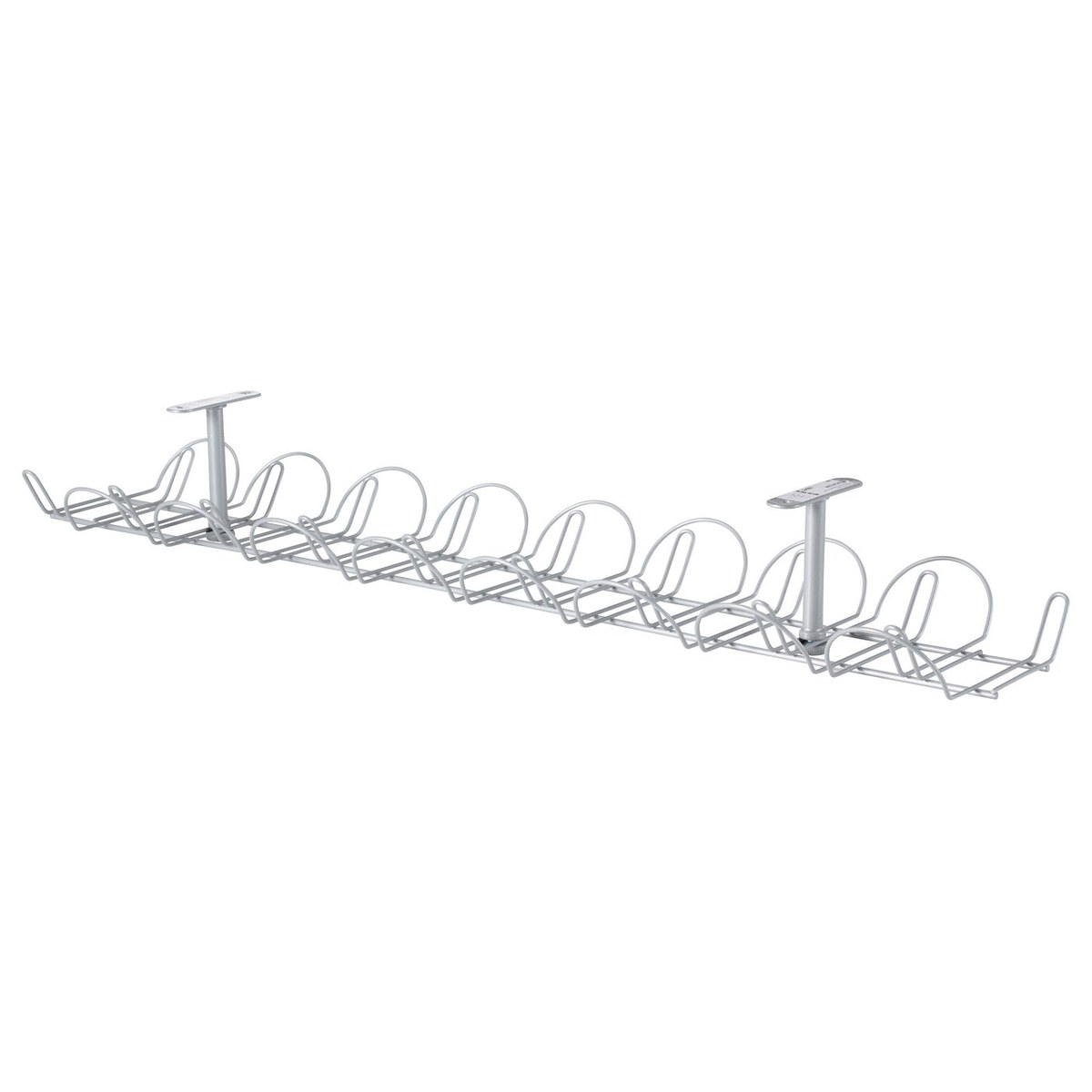
Items that show up often in desk tours
Take a look at desks other people have shared
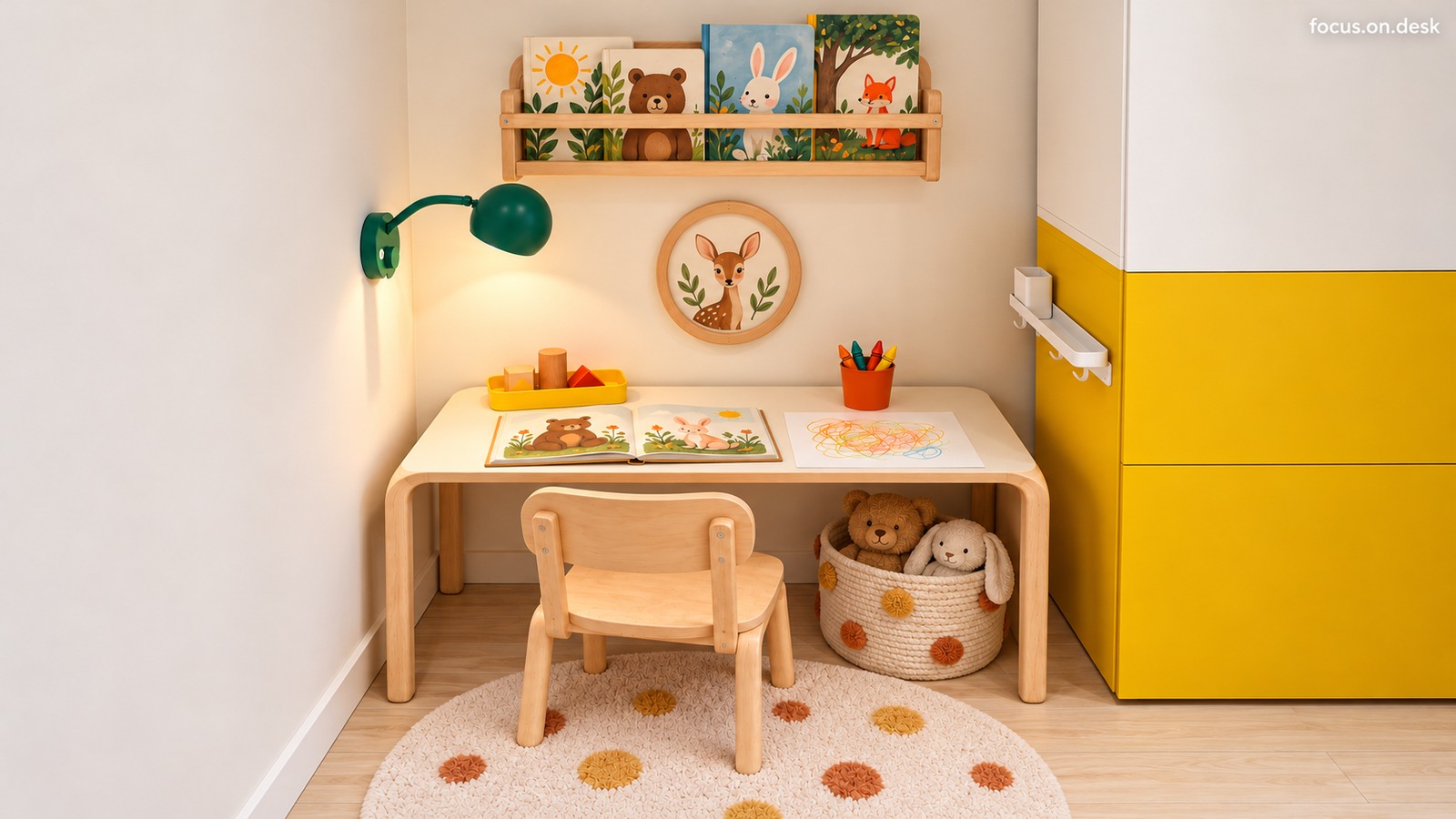
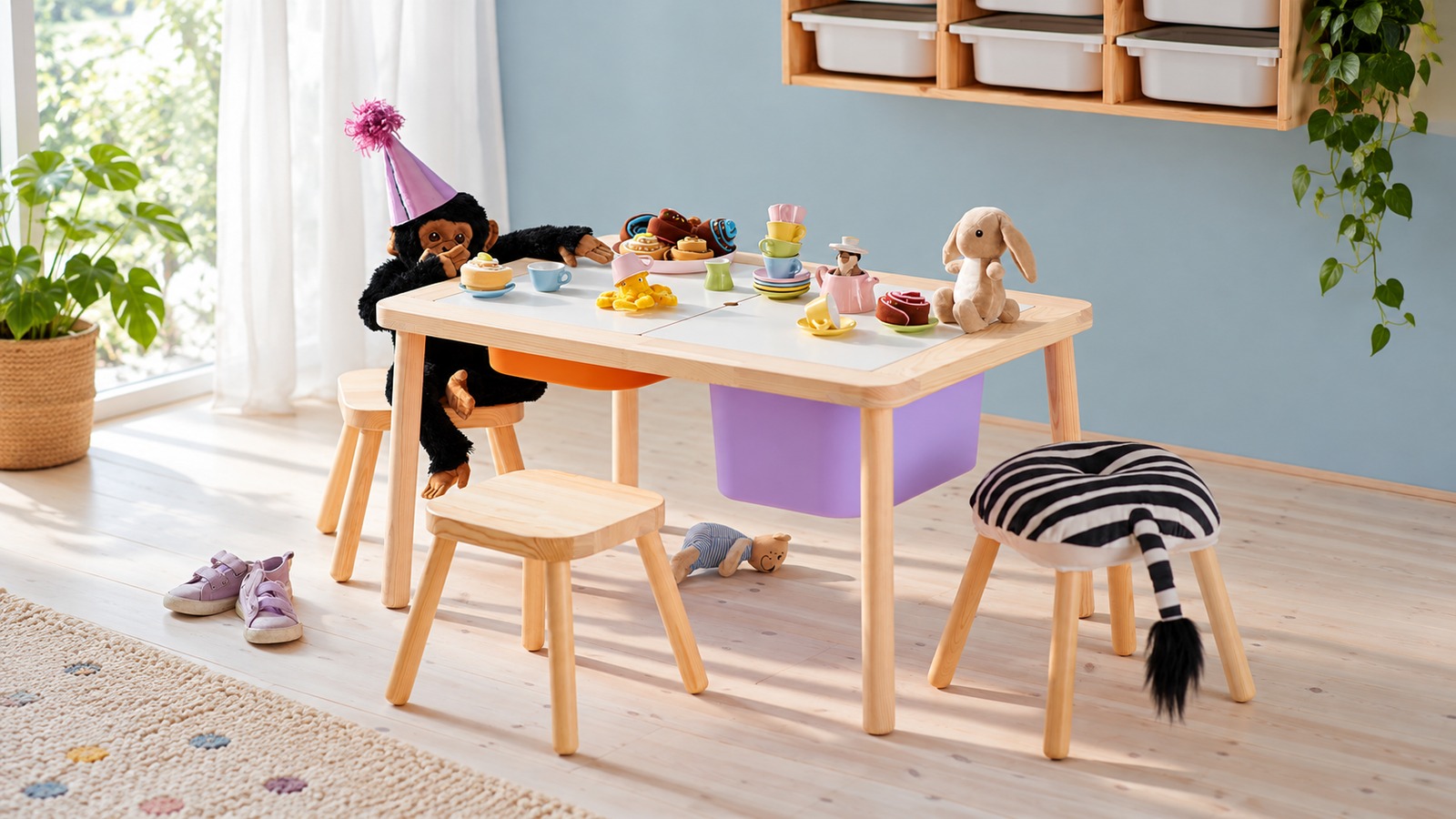
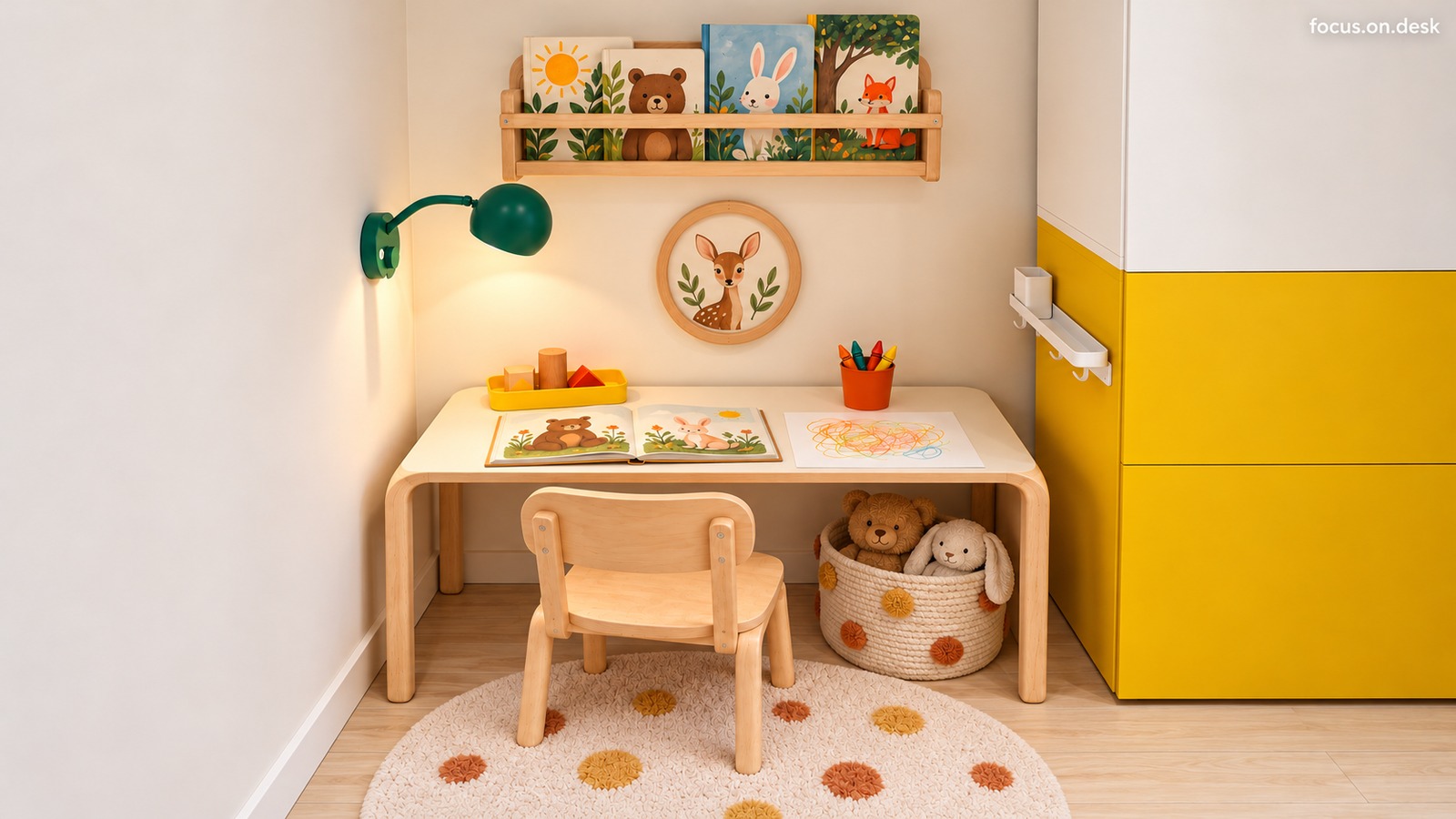
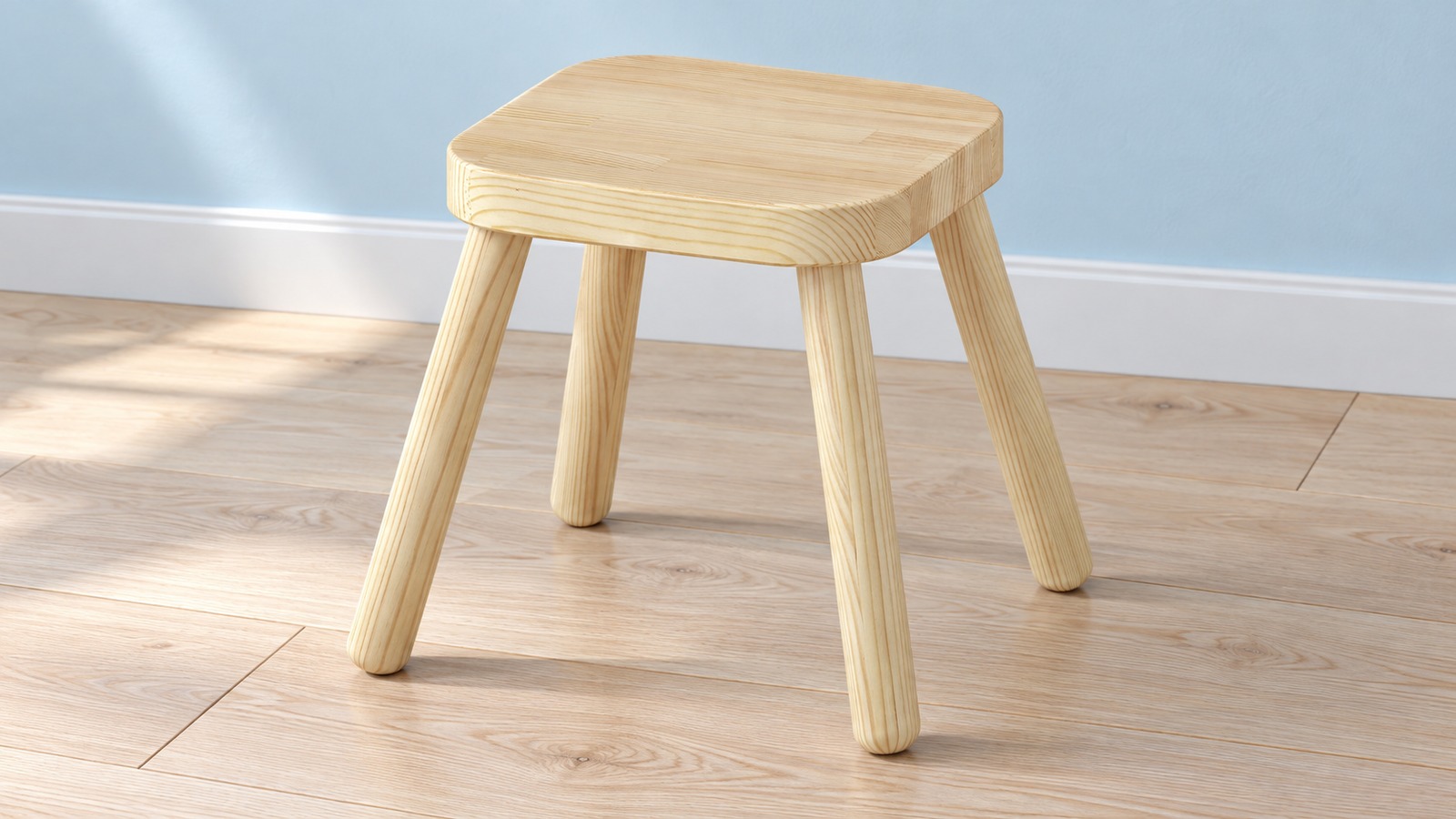
A picture book and crayons are spread across a light wood desk. A green wall lamp, yellow storage cabinet, and animal illustrations bring color to this little reading and drawing corner. Books stand against the wall, blocks sit in a tray, and soft toys are gathered in a basket beneath the desk. The three + product tags are alternative products to consider when shopping. The FLISAT table has removable lids and separate legs, and the stool has no backrest, so both differ from the furniture pictured. The wall storage unit has not been confirmed to match the model or dimensions in the image either. These styling images recompose the supplied photo in a horizontal 16:9 format. The actual room dimensions and firsthand experience of using the space have not been verified.

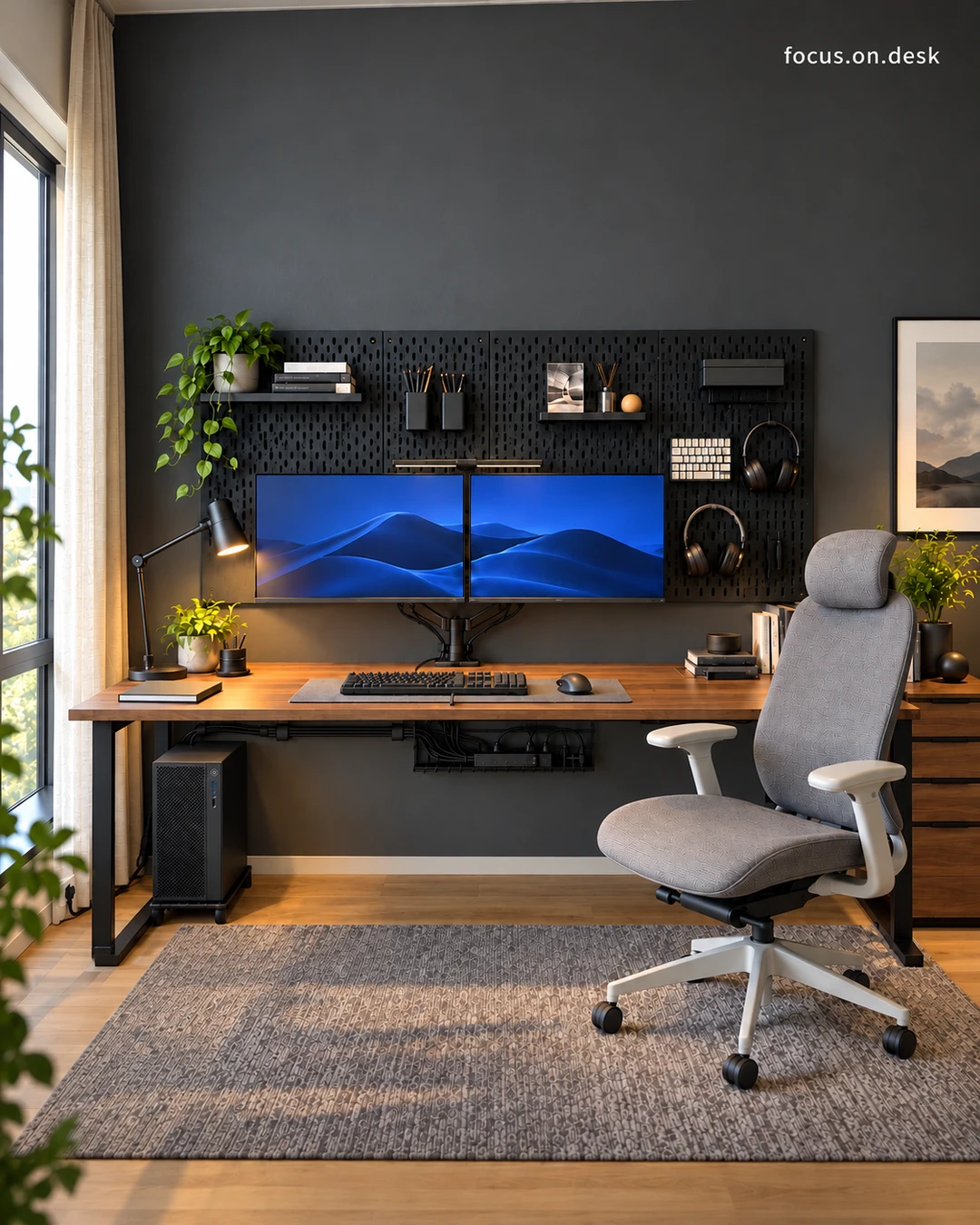
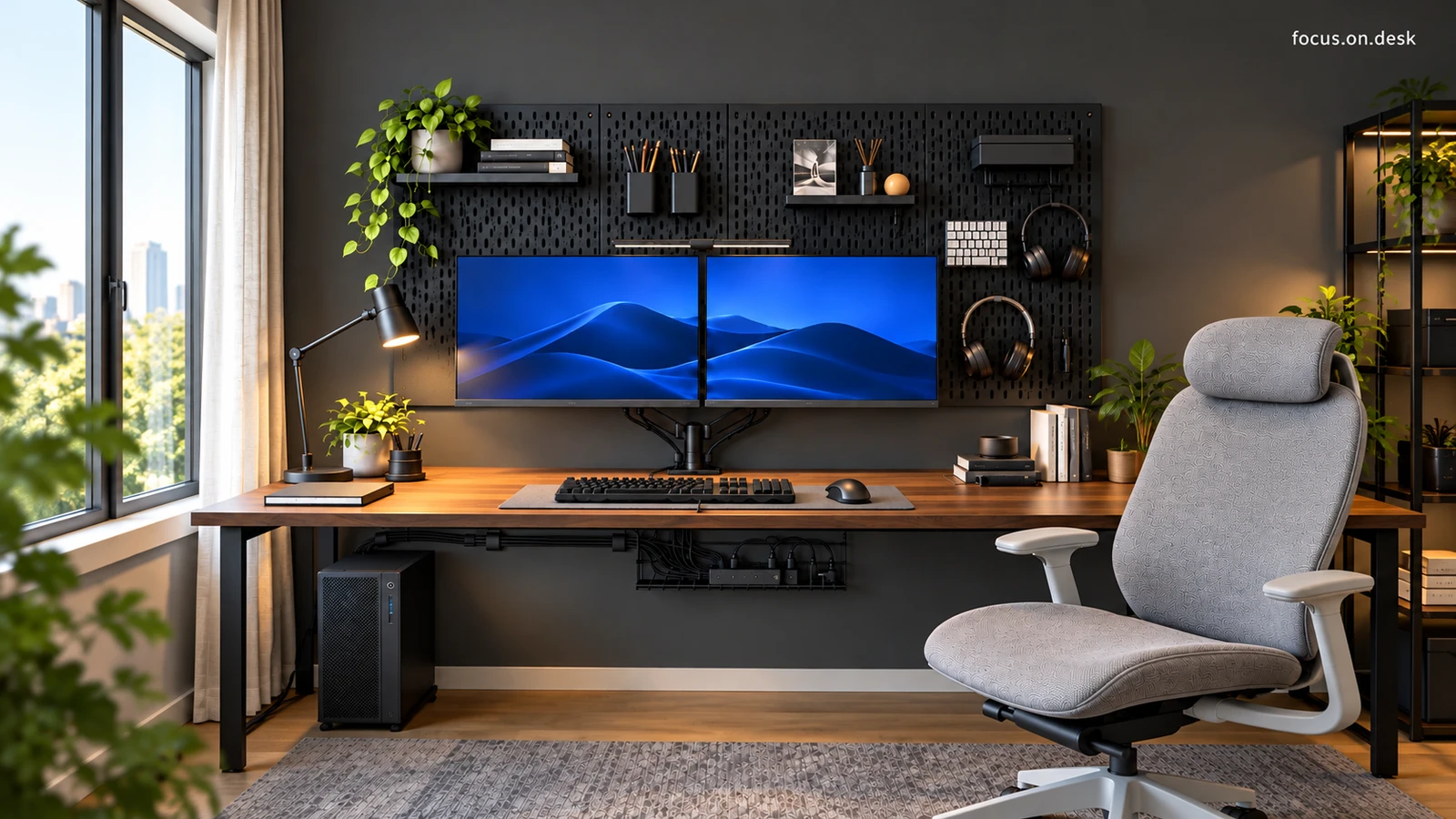
A walnut-toned desktop, charcoal wall, dual monitors, and a gray chair define this window-side workspace. Front and angled views reveal how a black pegboard, warm task lighting, plants, and a rug tie the home office together. Two screens stand out against walnut and charcoal From the front, two monitors with blue backgrounds line up at the same height. The black pegboard behind them reinforces their horizontal line, while the walnut-toned desktop spreads out below in a warmer shade. Dark walls, storage, and equipment connect the scene, with wood grain and screen colors adding distinct layers. When planning a dual-monitor desk, consider both the screens and their backdrop. Even a busy area behind the monitors can feel calmer when its objects share similar colors. Adjust the actual layout so your main screen sits in front of you and checking the secondary screen does not require an uncomfortable twist. A gray chair and light curtains balance the darker surfaces The gray chair to the right of the desk creates a broad, light area among the black equipment. Its pale frame and armrests echo the curtains at the left-hand window. The chair's surface pattern and the finer pattern of the rug add textures at different scales against the black wall. In a workspace with dark walls, consider a large element such as a chair or curtains before replacing every device with a lighter one. A fabric-like appearance in a photo cannot establish the chair's exact material or seating comfort. Assess how it looks and how well it suits you in use separately. Move tools onto the pegboard and leave the desktop within reach Small shelves, pen holders, and a headphone hook divide the black pegboard. Books and plants occupy the upper shelf, with frequently handled tools grouped below. On the desktop, the keyboard and mouse sit within a mat, while lighting and books stay to either side. Wall storage and the working surface have distinct roles. Choose the tools you want to move off the desktop before filling spare pegboard holes. Try the actual motions of lifting off headphones or reaching for a pen. Check the product instructions for compatible hole shapes and accessories, as well as suitable wall construction and mounting methods. Window light and a black task lamp bring out the wood tones The window on the left brightens the room, while a black task lamp casts warm light over a small plant and notebook on one side of the desk. Greenery repeats on the high shelf and the lower desktop. Warm light beside the wood grain adds warmth among the dark devices. To recreate the atmosphere, look at where light lands rather than just the lampshade's shape. Sit down, turn on the screen, and write in a notebook to compare reflections and shadows. Position real plants according to their light and care needs before considering the balance of the photograph. Discover different details from the front and at an angle The front view emphasizes the orderly monitors and pegboard. The angled view reveals more of the wooden cabinet on the right, the chair, and the floor rug, as well as the desktop's depth and relationship to the window. Multiple views show how the different areas connect, not simply more objects. Photograph your own workspace from your seated position and from the room's entrance. If the wider shot looks cluttered, check whether objects with different purposes are overlapping before throwing anything away. The desk tour explores the equipment layout, while a separate guide covers organizing the desktop and the space below. Explore this space further Dual-monitor desk tour: a walnut desk and gray chair in a home office Desk organization guide: from pegboard storage to cable-tray routing

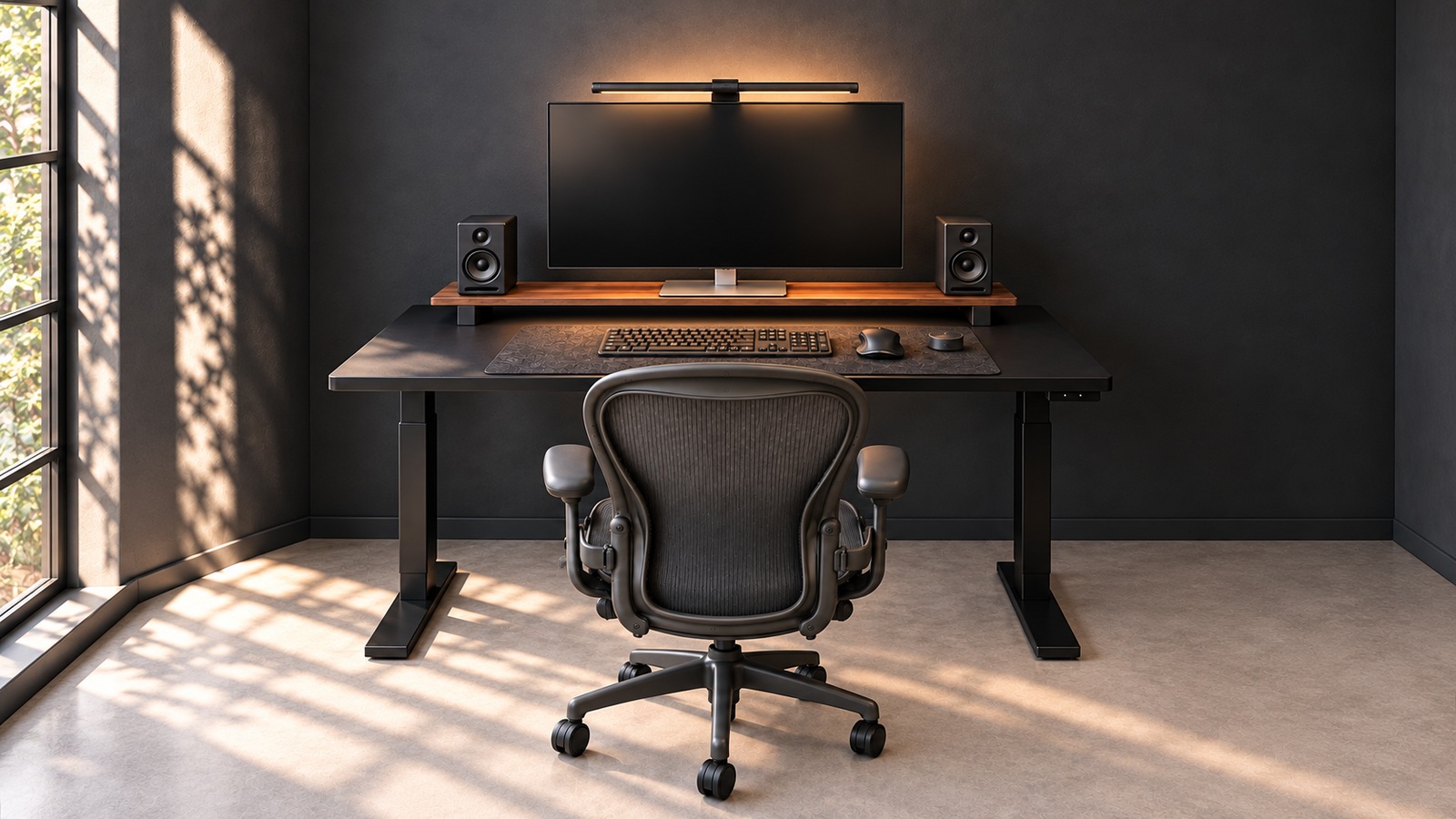
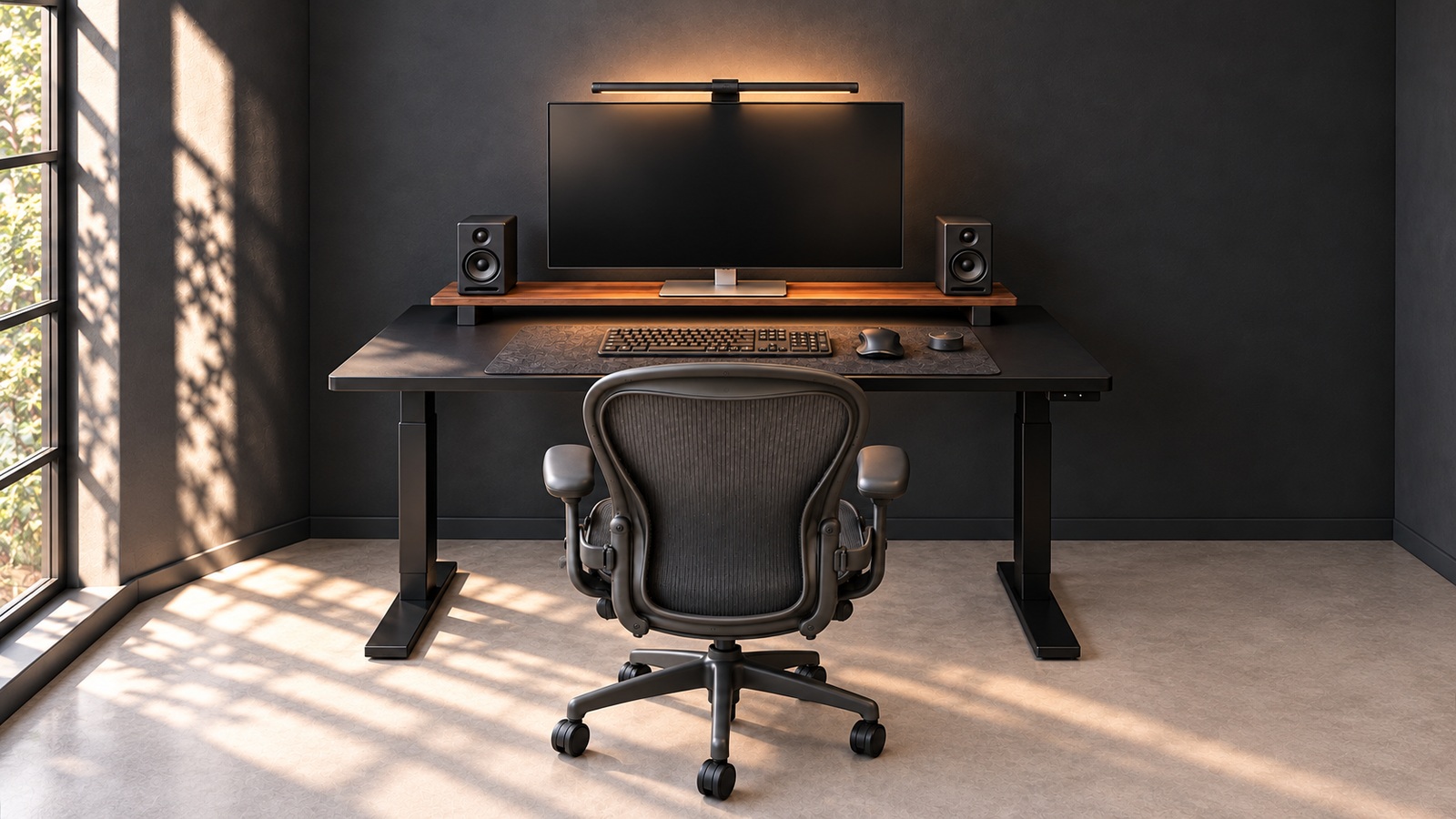
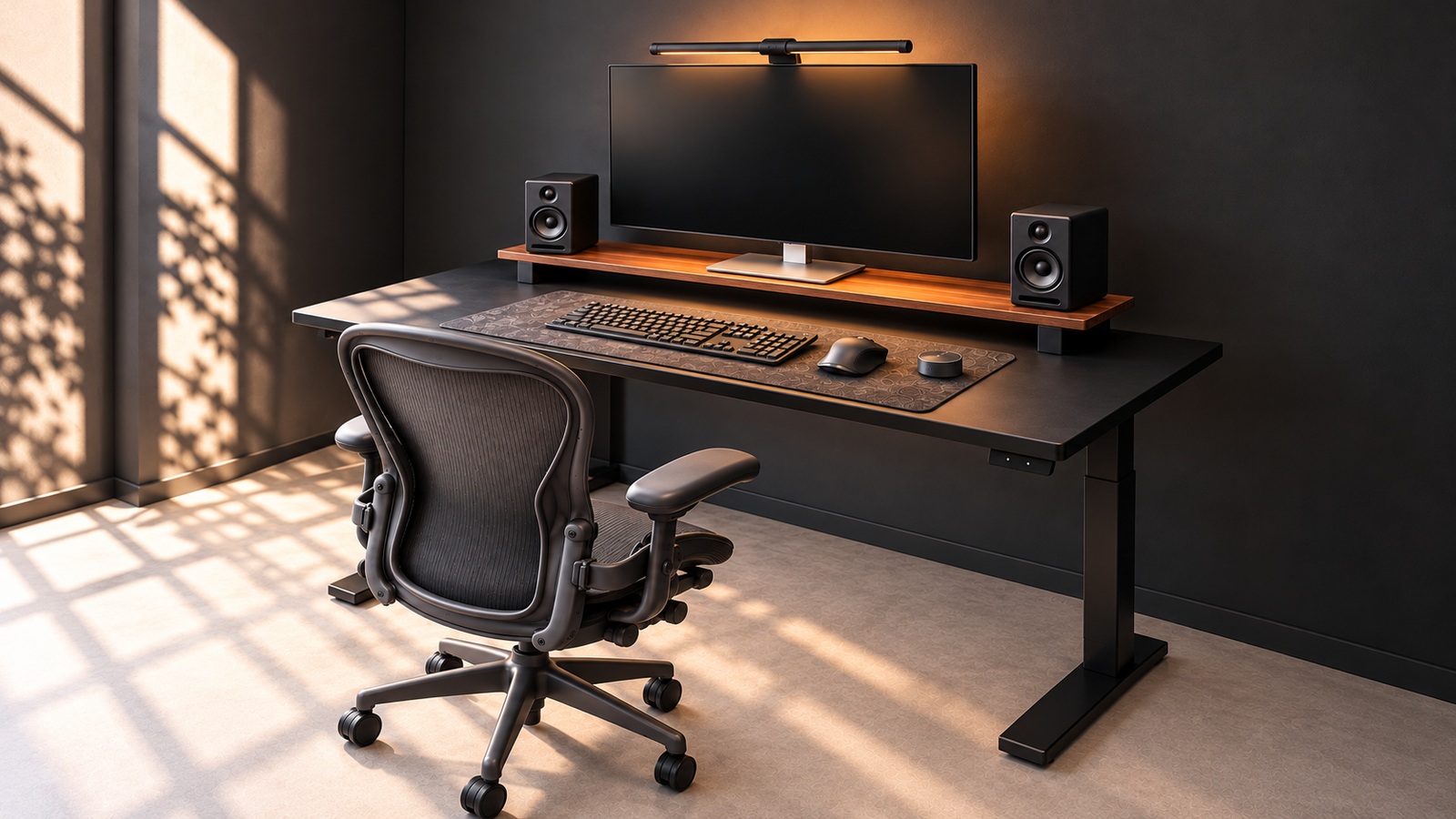
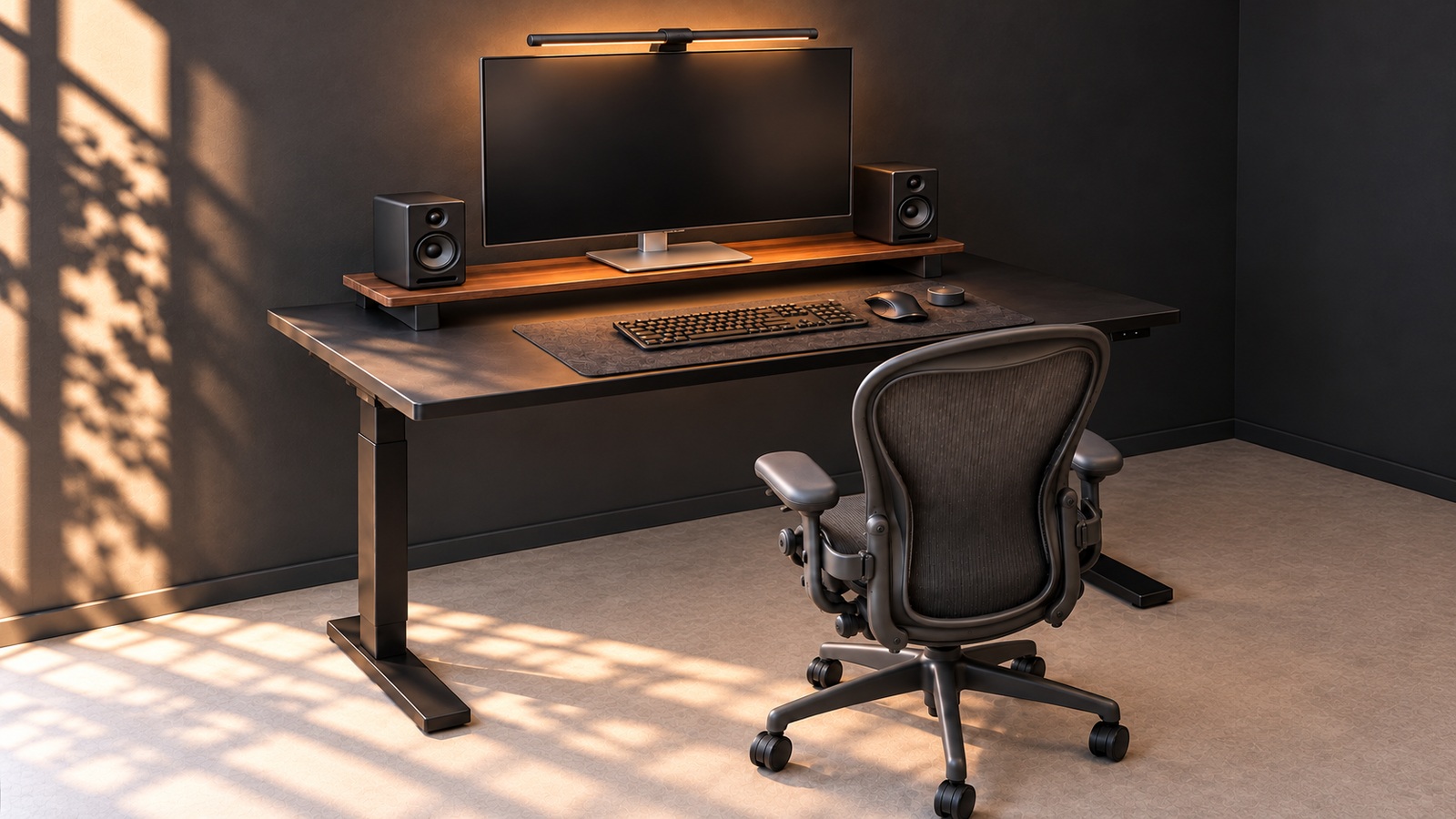
A single wood shelf softens this black desk setup against a charcoal wall. Explore a calm home office shaped by aligned monitors and speakers, input devices on a mat, window light, and contrasting surface textures. A wood shelf separates the charcoal wall from the black desk Although the wall, desktop, and chair are all dark, they do not merge into one mass. A long wood shelf beneath the monitor draws a horizontal line, while window light catches the desktop's edge. A narrow band of light wood distinguishes the levels between broad black surfaces. Decorating a black desk does not mean changing every device to a different color. Here, the wood tone is concentrated in one long, narrow surface, adding warmth while preserving the impression of black equipment. Try introducing another material through a small stand or accessory on your existing desk, and check how much usable space it occupies. The monitor and speakers form a row at the back Seen from the front, a speaker stands on either side of the monitor, grouping all three devices along the long shelf. The silver monitor base adds a small bright point, while the round speaker drivers repeat similar shapes on both sides. The rear row and the input devices at the front create horizontal lines at different heights. Treat visual symmetry and practical requirements separately when borrowing this arrangement. Check that the monitor base sits fully on the shelf and connected cables can exit behind it. Speaker spacing and sound quality cannot be judged from the photograph; follow the guidance for your own equipment. Window light and a monitor light bar create different patterns The window on the left casts long grid and leaf-shaped shadows across the wall and floor. A bar-shaped light above the monitor leaves a warm glow behind the screen and near the shelf. Broad daylight overlaps with light close to the screen, revealing the outlines of the black devices. Before adding decorative lighting to a dark desk, turn on the screen you normally use. The monitor appears dark in this image, so it does not show reflections during actual work. The same position can feel different by day and at night. Move the curtains and alternate between looking at your screen and paper. Three frequently handled objects sit inside the mat The close-up shows a keyboard, mouse, and small round controller on a black mat. Raising the monitor and speakers at the back separates them from the tools used by hand at the front. The mat's fine texture and the mouse's smooth surface introduce variation within the same black palette. When defining a work area, leave room for your hands before matching every object's color. Position the keyboard, move the mouse as you normally would, and try reaching for the round device or other tools. Leaving some space near the screen gives you the option of opening a notebook or document temporarily. A black mesh chair and an open floor keep the space light The dense mesh of the black chair's backrest lets some background brightness show through. Few objects occupy the floor or the area between the desk legs, making the chair's outline clear from the front. Gaps that reveal the background can create a lighter impression without reducing the number of dark furnishings. Finish by pulling your own chair in and rolling it back. A tidy front view is less useful if the armrests hit the desktop or the wheels catch a cable. The calm character of a black desk setup comes more naturally when you secure room to move, then organize the remaining surfaces. Product and styling notes The two + product tags are shopping alternatives. MITTZON is a 160 × 80 cm electric desk with a rear plug-in module. ELLOVEN is a 47 cm-wide steel stand with a bamboo drawer, unlike the long wood shelf pictured. Explore this space further Black home office desk tour: charcoal walls and a wood monitor shelf A five-step guide to arranging a black desk with a wood shelf, lighting, and a mat Black desk and monitor-stand buying guide: comparing MITTZON and ELLOVEN
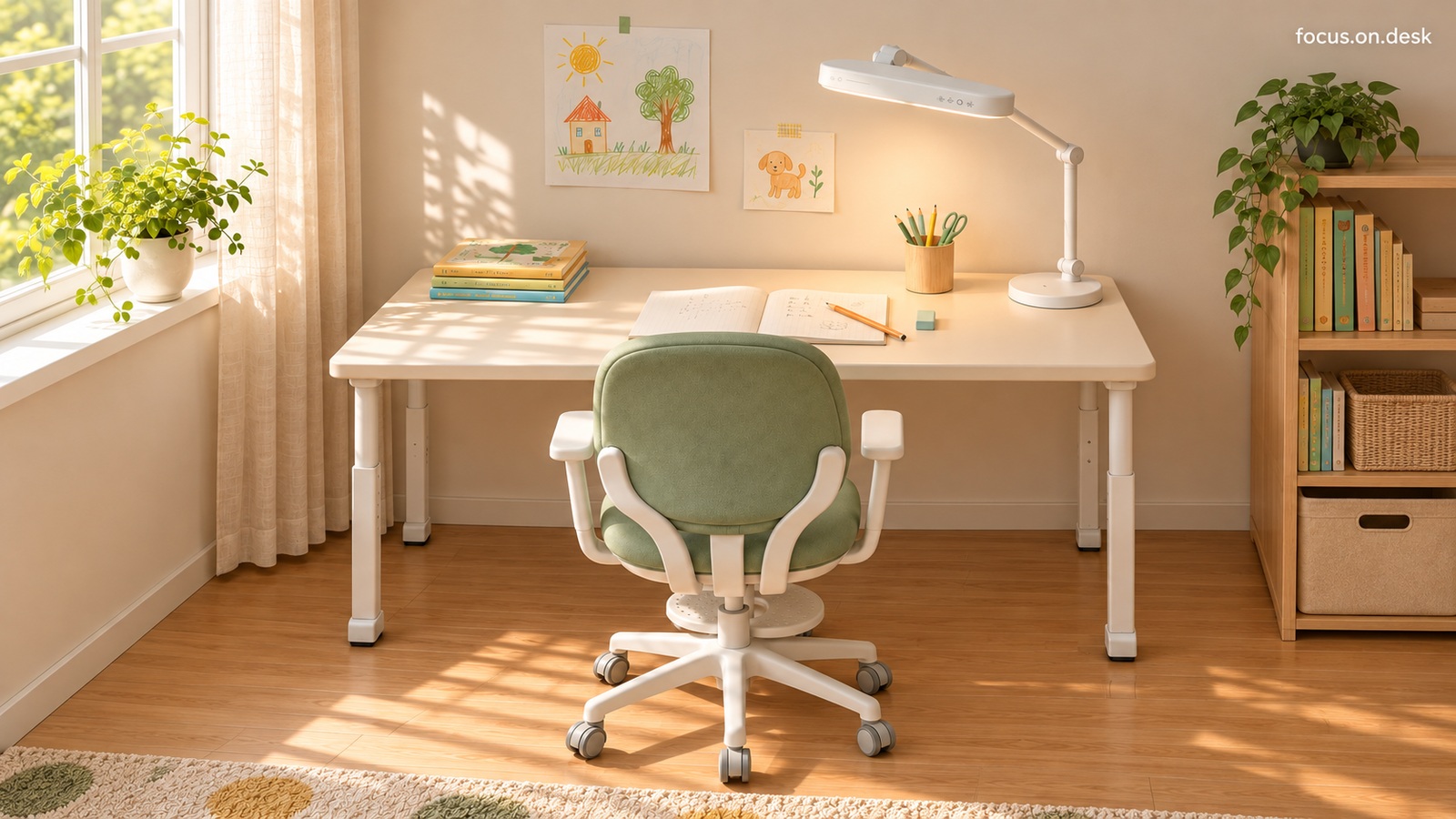
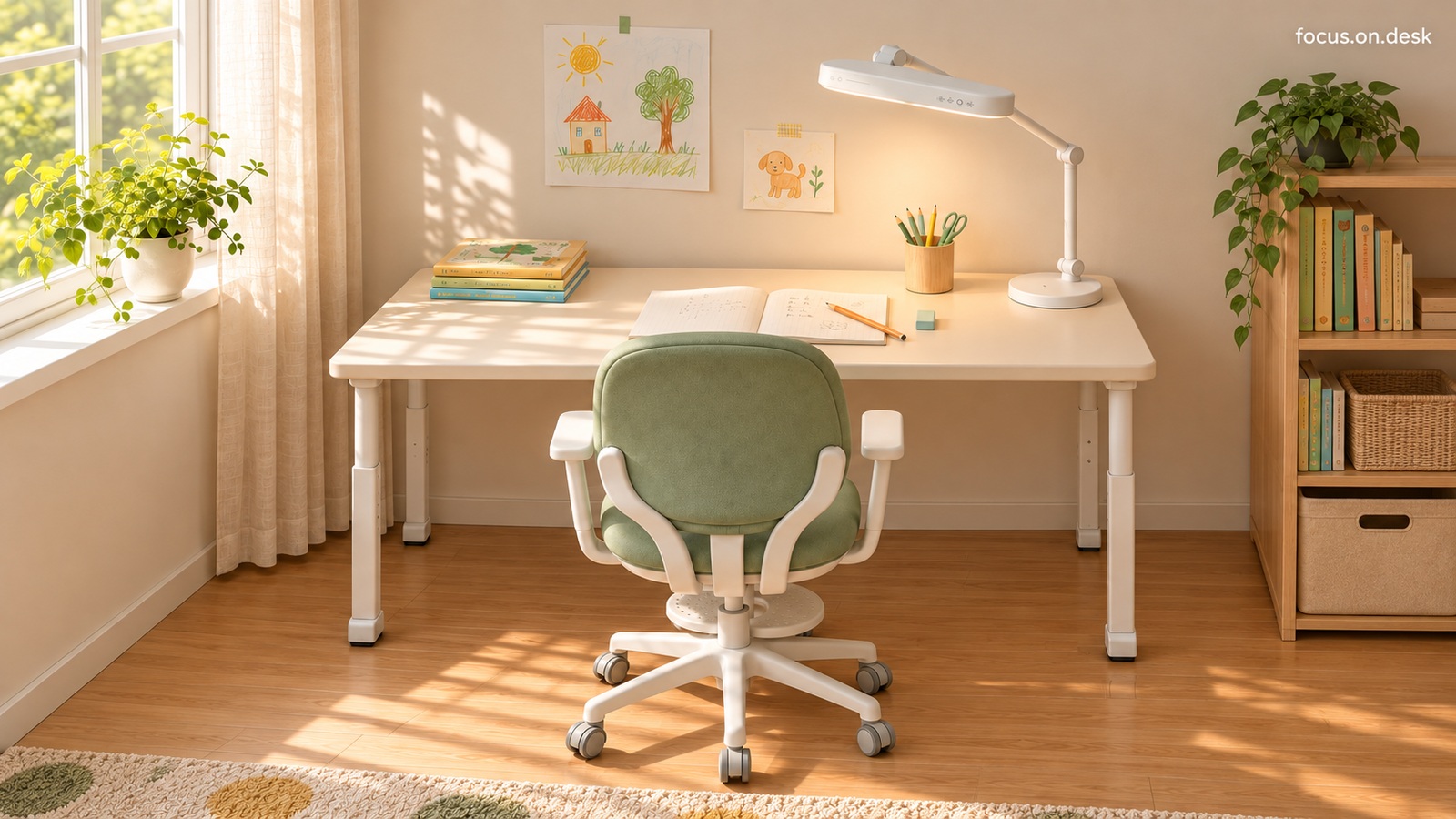
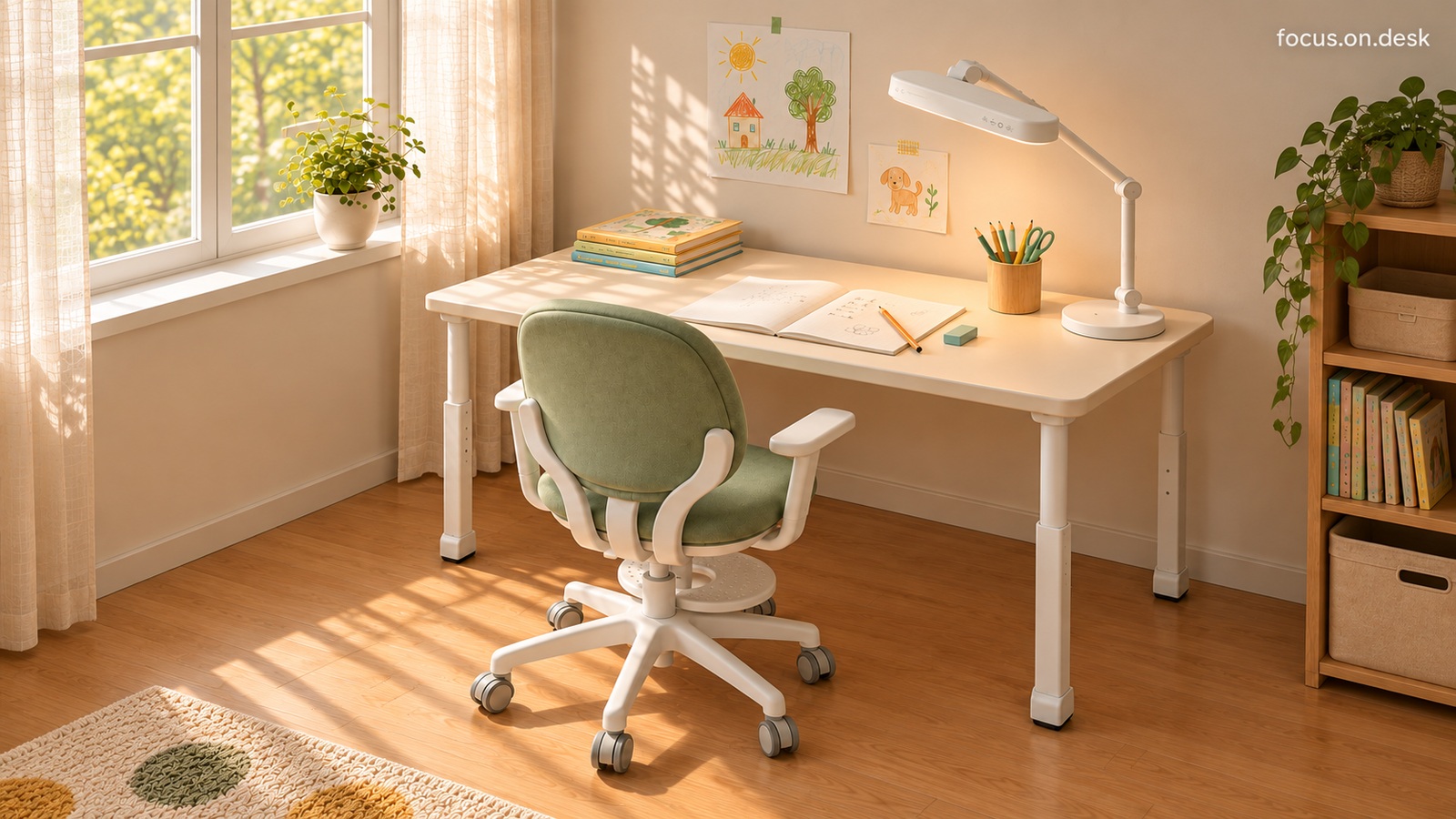
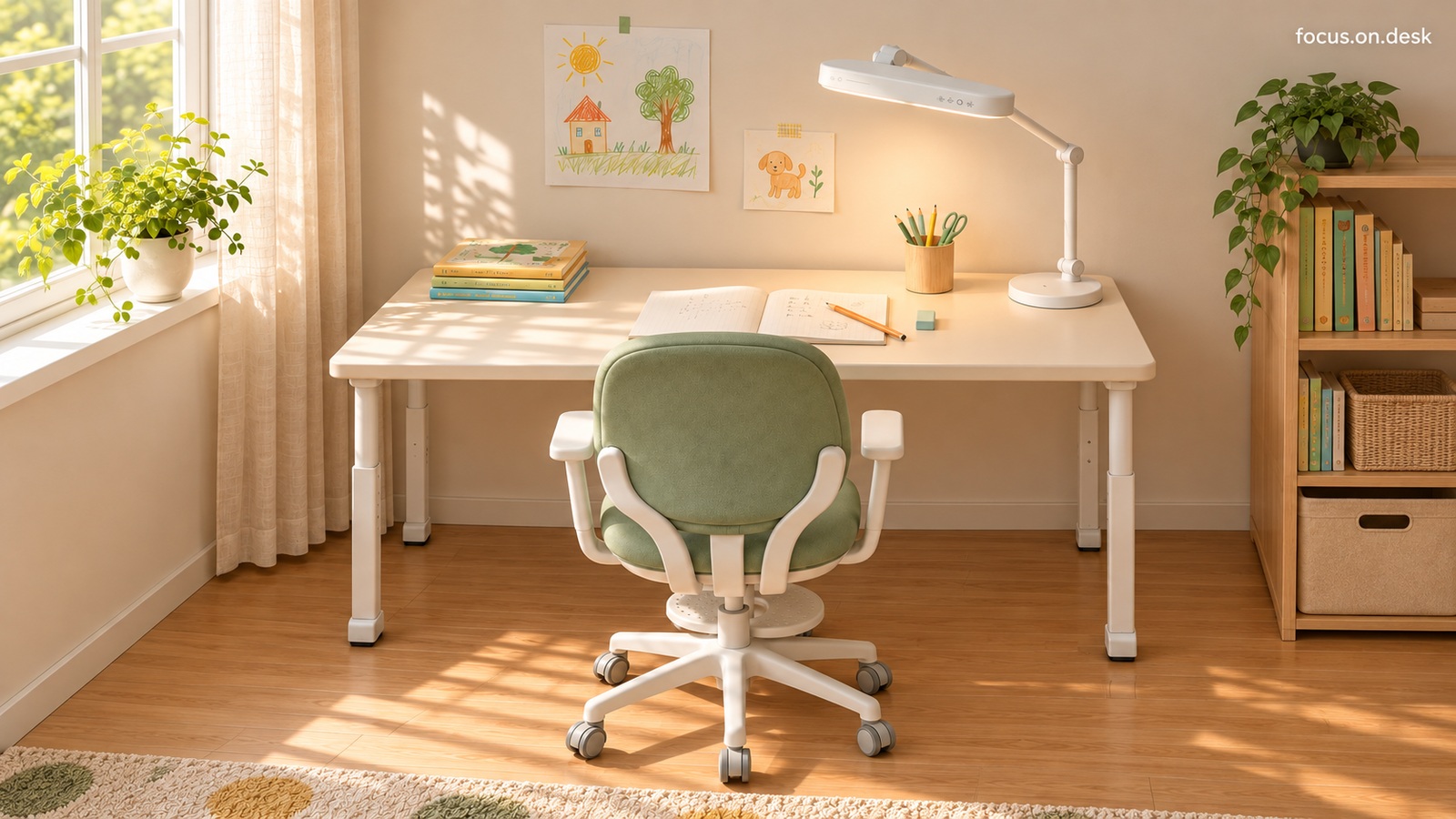
Small drawings, books, and pencils accompany a cream desk and sage green chair in this window-side study. Five views explore an arrangement that leaves room for an open notebook in the center and organizes stationery and books on either side. A green chair anchors the cream desktop The desk, wall, and curtains are all light, but each has a slightly different shade. In front of them, the sage green backrest and seat create broad areas of color. The pale frame and legs connect to the desk's palette, while green motifs in the floor rug repeat the chair's color farther away. A green study does not require painting the whole room green. Concentrate color in the chair and repeat it sparingly in wall drawings or small stationery items to retain the bright desk's character. Compare colors where you can see your own walls, curtains, and floor together, rather than relying on a single image on screen. Reserve the center for an open notebook first The overhead photograph shows a notebook in the middle of the desktop, with a pencil and eraser close by. Stacked books sit at the back left, while the pencil cup and task lamp are grouped at the back right. Even without knowing the furniture's dimensions, the open notebook makes the area's current purpose clear. Before filling storage boxes, open the textbooks and notebooks you normally use together. Leave enough room to turn pages and rotate paper, then decide where stationery belongs. Judge the space by your most spread-out activity rather than assuming that the single notebook pictured represents enough room. Books on the left, writing tools on the right In the close-up, pencils and green scissors share one cup. Spare books and reading material sit opposite, with more books and boxes on a separate bookcase to the right. Frequently used tools and stored belongings do not all pile up in the middle of the desktop. Adapt the sides to your dominant hand and habits instead of copying the photograph exactly. Check whether reaching for a pencil takes you across an open page, or whether taking out one book requires moving other objects. A place that is easy to reach should also be easy to put things back into if you want the arrangement to last. Window light and a white task lamp create two lighting conditions Light from the left-hand window leaves leaf and window-frame shadows on the desktop and floor. On the right stands a white task lamp with a long horizontal head. This bright daytime photograph cannot establish evening lighting or the lamp's brightness, but the notebook's position between the window and lamp offers a useful reference. Open your paper and switch on the lamp at the time you normally study. Check whether your hand casts a strong shadow over the writing or whether the light source shines directly into your eyes. Assess the warmth of the photographed sunlight separately from the conditions that make text comfortable to read. Small drawings and plants add personal touches Small drawings of trees, houses, and animals replace large wall decorations. A windowsill plant and trailing leaves atop the bookcase bring the drawings' greens into the room. Because decorations do not cover the desk's whole frontage, there is still space for notebooks and writing tools. When decorating with a child, choose one or two drawings and a background area where they can be swapped easily. As favorites accumulate, create a separate storage and rotation spot instead of piling them onto the desktop. Separating the display of drawings from today's study materials preserves both personality and usable space. Product and styling notes The three + product tags are shopping alternatives. PÅHL has side connecting rails, ÖRFJÄLL has neither armrests nor a footrest, and NÄVLINGE has a small round shade. These are not the same models as those pictured. Explore this space further Cream study room desk tour: a sage green chair and a window-side desk How to organize a study desk: separate notebook space from stationery storage White and green study desk buying guide: comparing IKEA desks, chairs, and lamps
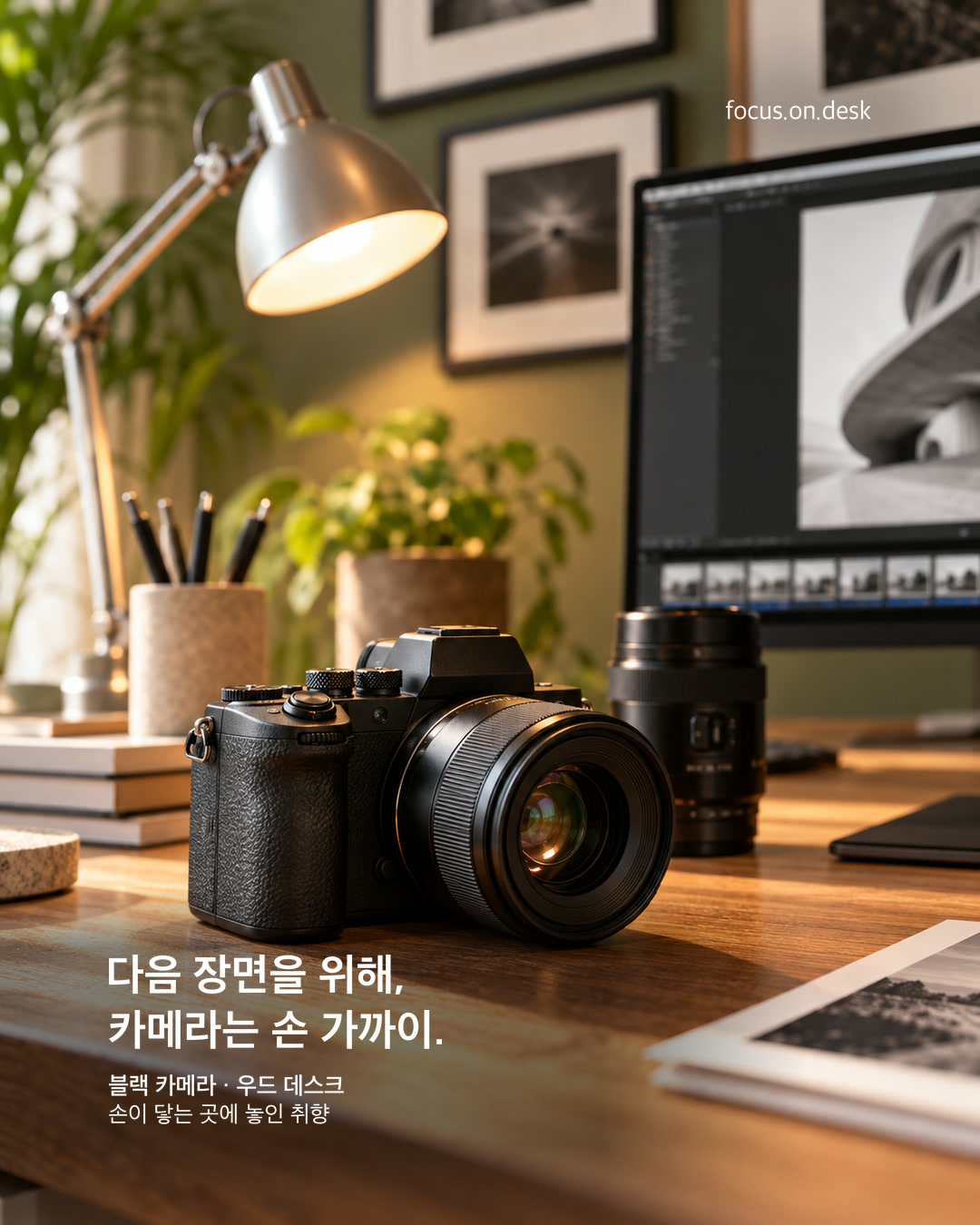
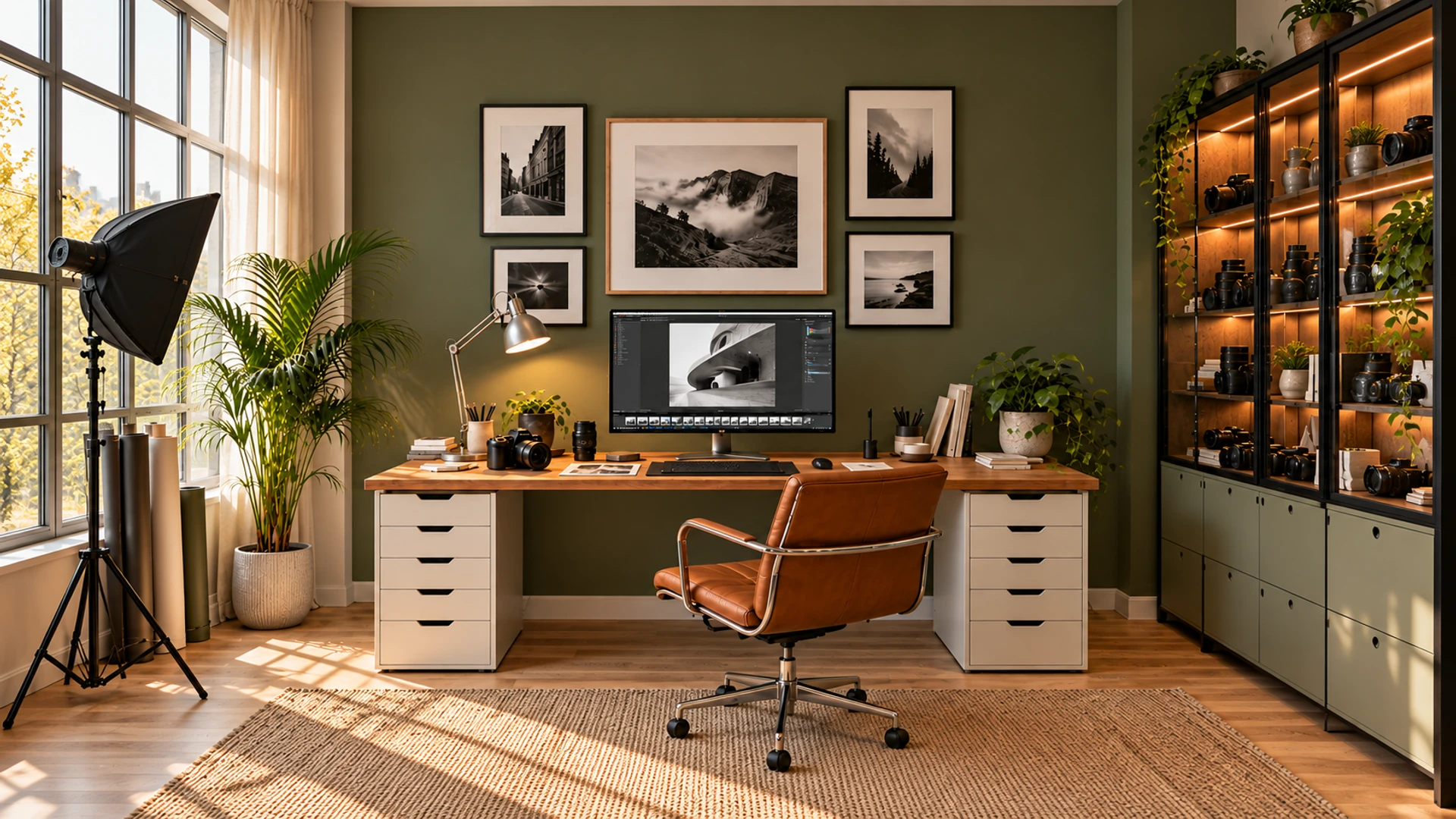
Take a closer look at a black camera, photographic prints, and an articulated silver task lamp on a wood desk. This photographer's studio concept explores where tools belong, how surfaces differ, and how much room hands need to move. The camera and lens define the desk's character A black camera sits at the front of the first photograph, beside a long lens. The lens's round outline and the camera body's small ridges stand out against the wood grain. A tool within reach begins to tell a studio story that the screen and keyboard alone could not reveal. Your favorite tools do not have to become ornaments in a hobby workspace. Give a regular place to the camera you have just used or your everyday drawing tools. The camera's appearance alone cannot identify its brand, sensor format, or lens performance. Here, its position and texture in relation to its surroundings are enough to explore. Keep screen images and printed results together The monitor at the back shows a monochrome image and editing interface, while prints lie on the desktop in front. Your eye moves naturally from looking at the screen to picking up a photograph. Decorations and work are not entirely separate; they appear as different media on the same desk. If you combine digital and paper work, leave a surface beside the keyboard for laying out results temporarily. Only the few prints you are comparing need to be out at once. Keep photography equipment and paper from overlapping, and make sure each has somewhere to return after use. An articulated silver lamp adds light and lines In the second close-up, a rounded metal shade and extended joints occupy much of the frame. The downward-facing shade is bright inside, while its outer surface reflects the window and surrounding light. It adds a different texture to the wood beside the camera's solid black surfaces. Consider the lamp arm's range of movement as well as its base. When you direct the light where needed, check whether it hits the monitor edge or a plant and whether the light source is directly visible when seated. A silver finish alone will not reproduce the same reflections or lighting; assess the actual shade angle and installation. Group a small plant and pen cup beside the lamp A small plant and writing tools sit close to the lamp base. Unlike the large leaves by the window, the little plant adds green to a short gap between devices. Grouping objects of similar height keeps accessories from spreading across the desktop, leaving the front free for the camera and prints. Check whether a visually pleasing group also works in use. If picking up the camera knocks the pen cup, or moving the lamp requires relocating the plant, separate them slightly. Consider whether plants can be moved away from electronics when watering. How to find layout ideas in close-up desk photos The camera photograph clarifies the relationship between tools and results; the lamp photograph highlights light and materials. Both share a wood desktop, greenery, and a sage green wall, but their different subjects offer different readings of the same space. Choose the tool you used most today and photograph it up close. Then step back to include the nearby input devices and lighting. Checking whether an attractive close-up arrangement is also comfortable in practice helps balance a photogenic scene with an everyday desk. Product and styling notes The camera and lamp models and their performance have not been verified. Explore this space further Sage Green and Wood: A Window-Side Studio with Plants and Photographs Photographer's studio desk tour: sage green walls, a wood desk, and equipment storage
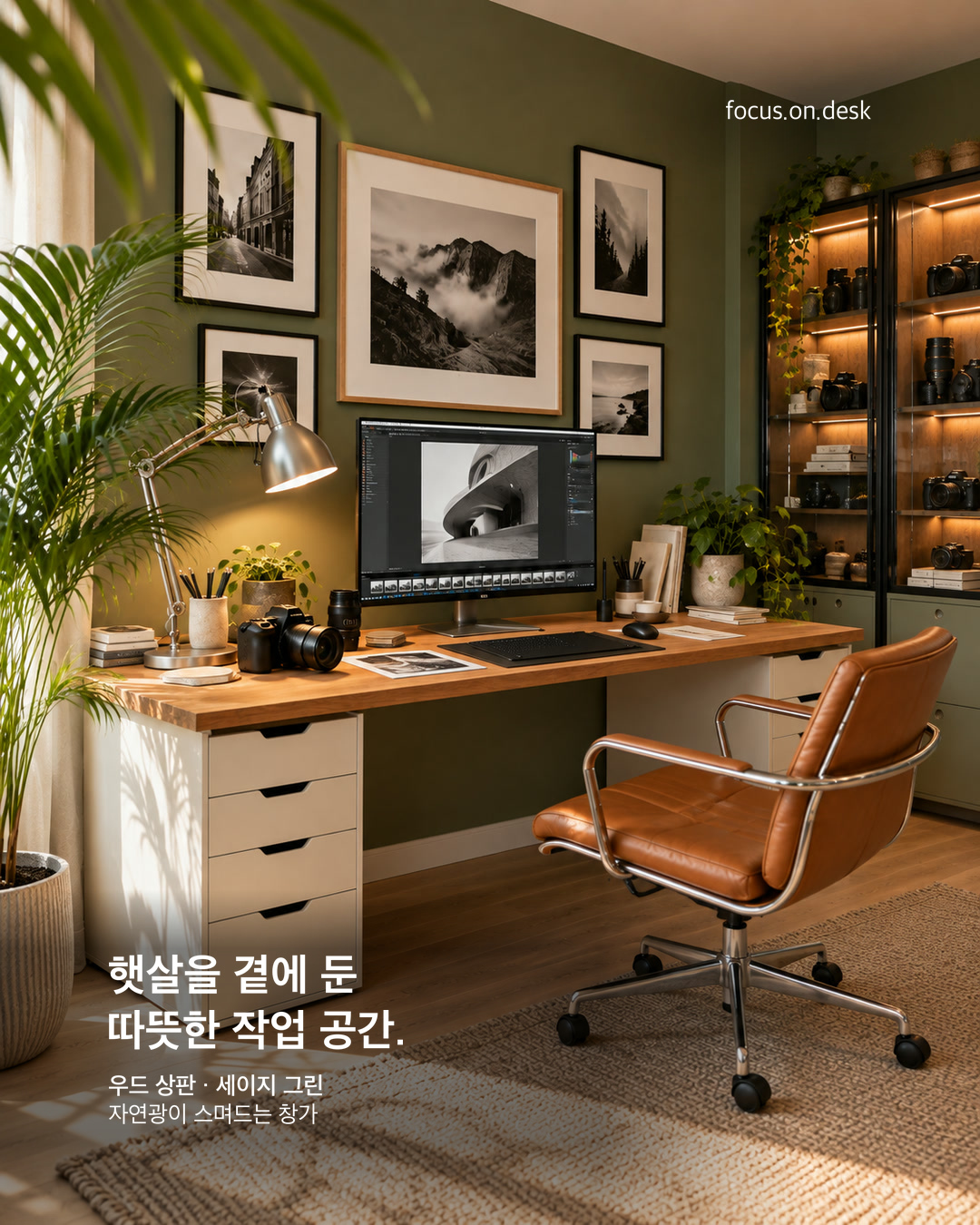
Sage green walls, a wood desk, cream curtains, and a brown chair form this window-side studio. Two photographs explore the mood created by broad areas of color, plants at different heights, monochrome prints, and equipment storage. Sage green walls and wood form the main palette In the first angled view, a green wall and long wood desktop surround the monitor's black surface. Light drawer units on both sides and the left-hand curtain brighten the space around the dark equipment. The brown chair connects the seating area with a color as warm as the desktop. Before choosing all-green accessories, compare broad surfaces such as walls and curtains. This room uses green as the background, black for tools, and light colors for supporting furniture. Larger surrounding colors can bring a setup together while retaining your existing monitor and input devices. Plant height and distance add depth by the window A large floor plant spreads broad leaves near the window, while smaller desktop plants sit between the lamp and devices. In the second photograph, blurred foreground leaves frame part of the desk, creating distance between nearby foliage and the far wall. The viewpoint, as well as the number of plants, changes the scene's depth. If more pots will not fit on the desk, consider existing spots on the floor or near the window. Check that leaves do not brush your hands when typing or moving curtains. Healthy-looking leaves in a photograph do not establish whether the room's actual light suits a plant; check each species' care requirements first. Monochrome photographs connect the wall and screen Black-and-white landscape photographs of different sizes gather on the wall, while another monochrome image fills the central screen. Repeated light and dark tones make working tools and decoration feel like one story. The green wall accommodates both the prints' bright margins and their black frames. Choose what you want to look at together before deciding how many frames to hang. Start by placing images you work with and a few favorite photographs in the same field of view. Check whether frames obscure the monitor when seated and what you see when looking up from the screen. Separate equipment storage from the working surface Cameras and lenses sit at several heights in the glass cabinet on the right. Only a camera and prints that appear ready for use remain on the desk. The working surface and equipment storage are distinct within the same room. Light drawers and the wood desktop soften the visual weight of black devices extending into the cabinet. Separate tools in current use from stored equipment: keep today's camera or pens close and spare items in another compartment. The glass cabinet has not been confirmed as humidity-controlled storage. Follow the manufacturer's care instructions when storing actual equipment. Cream curtains and a rug connect the surrounding room Despite the many devices, thin light curtains soften the window and a visibly woven rug lies underfoot. The angled view that includes the floor feels cozier than a view limited to the desk and wall. The desktop and brown chair repeat warm colors among the fabrics. Before replacing everything on your desk, photograph your studio with its curtains and floor in view. Check whether the large color areas work together and whether the rug edge obstructs the chair. To borrow this atmosphere, start with the relationship between light, background, and floor rather than the number of decorations. Explore this space further A Photographer's Wood Desk with a Camera and Silver Task Lamp Photographer's studio desk tour: sage green walls, a wood desk, and equipment storage
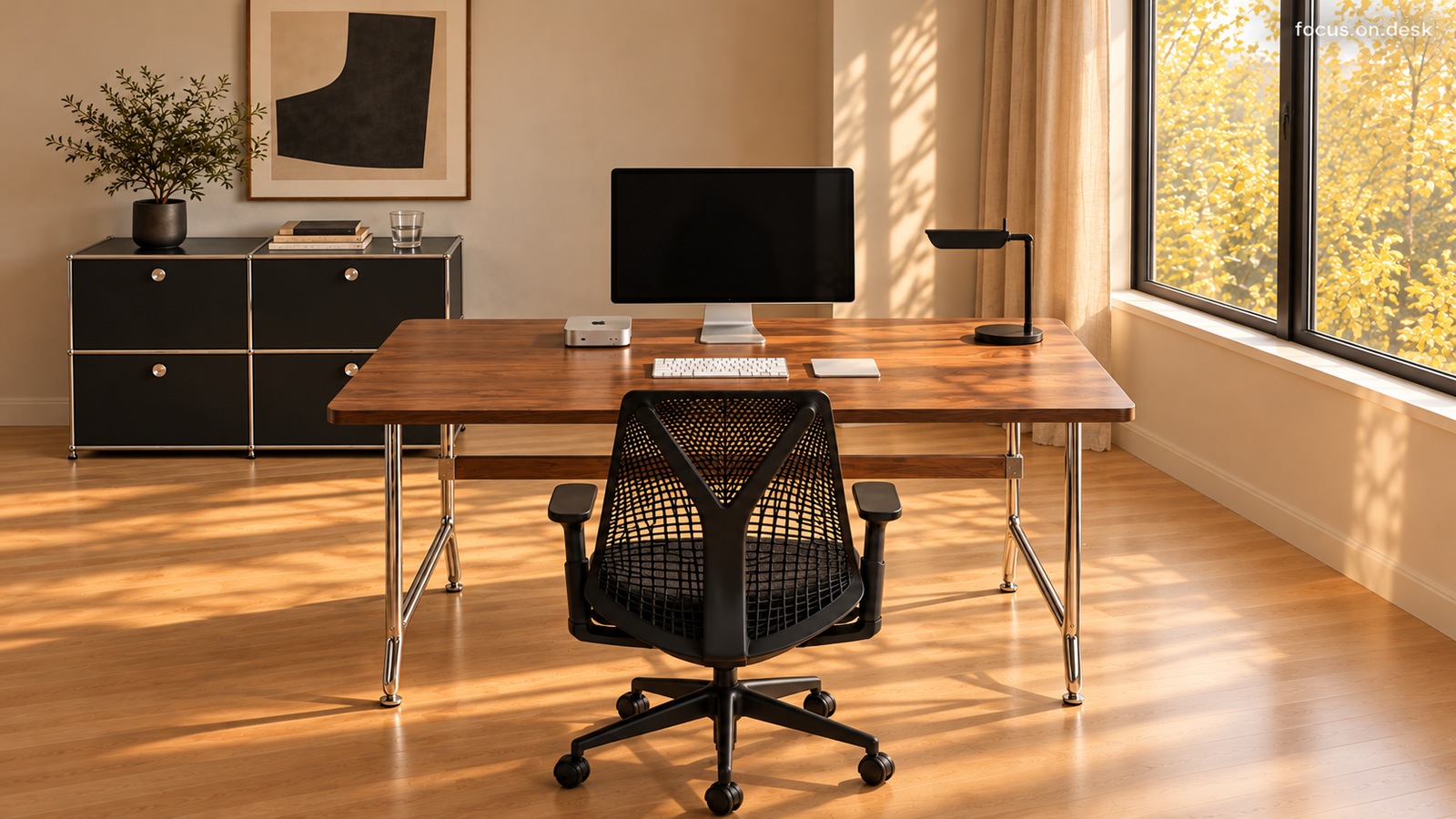
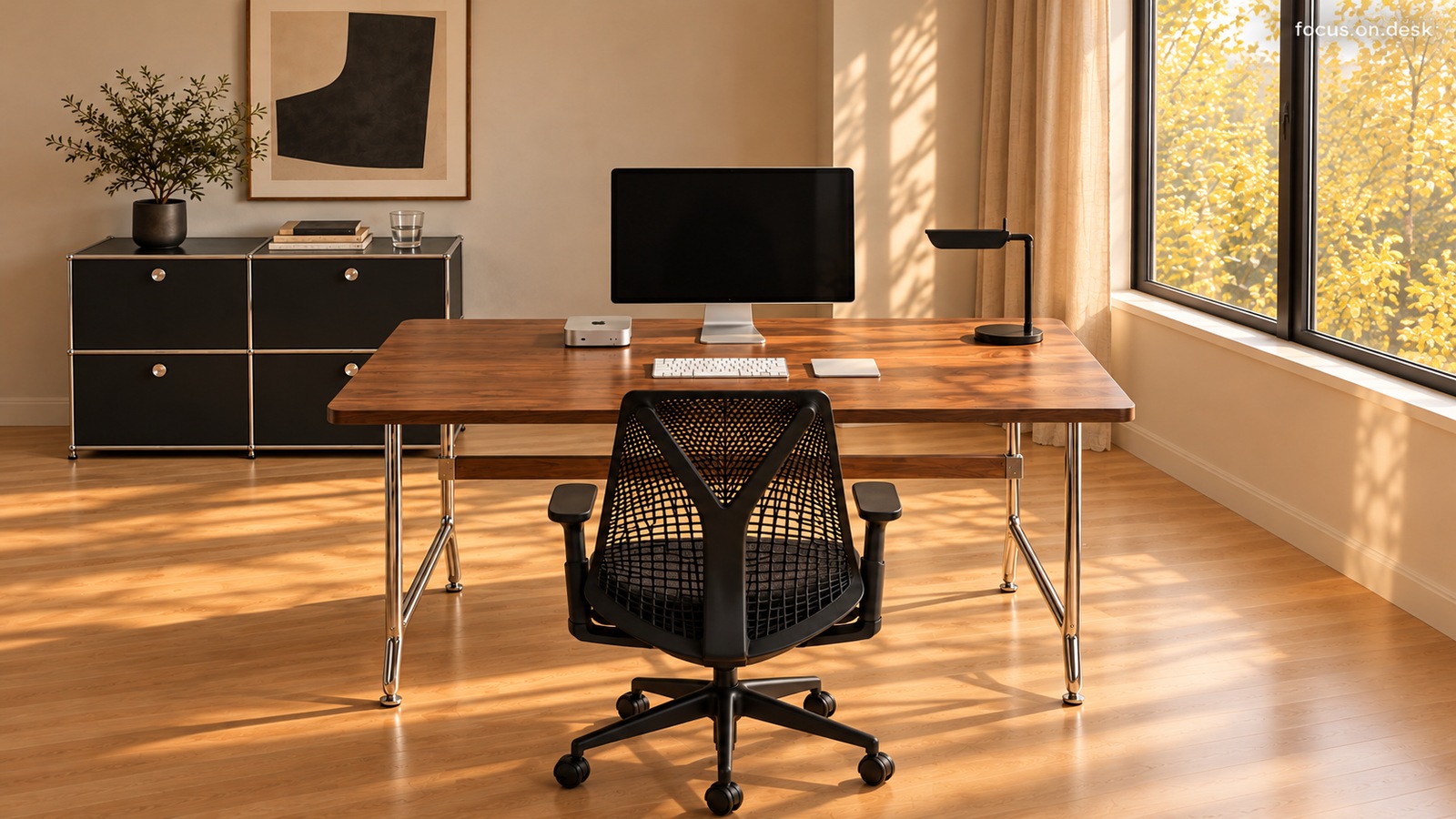
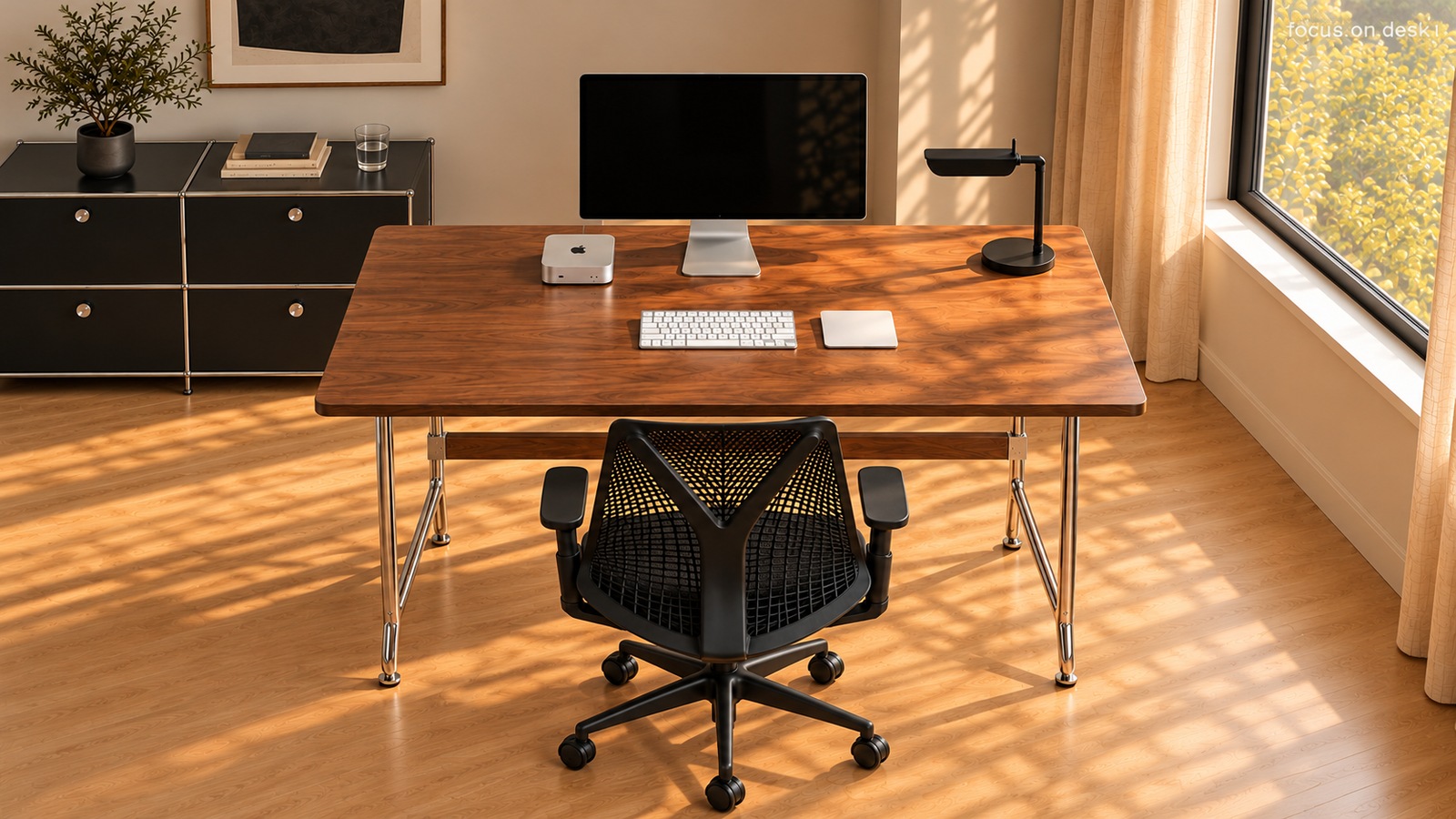
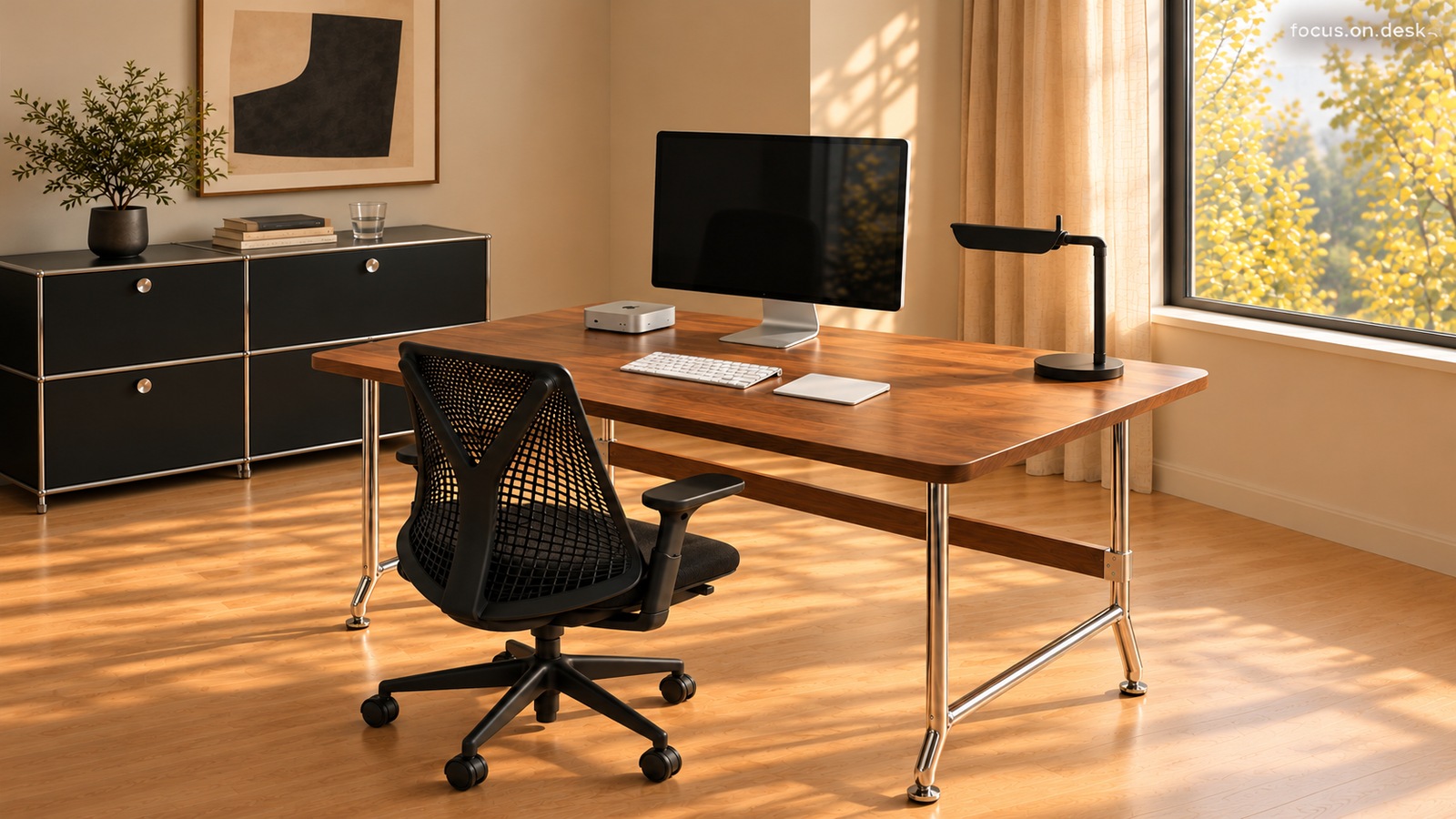
A silver monitor and light input devices sit on a dark wood-toned desktop in this window-side home office. Five photographs explore the contrasts between a black chair and cabinet, slim metal legs, wood grain, and sunlight. An open surface reveals the wood grain The expanse of wood surrounding the monitor catches the eye first. The screen sits centrally at the back, with a low keyboard and trackpad in front. A small computer on the left and a black lamp on the right leave the horizontal grain uninterrupted through the middle. A wood desk's character may depend more on how much of its surface remains visible than on how many accessories it holds. Check the space your input devices need before adding a large mat. Try opening notebooks and documents too, preserving both a working area and visible grain. A black chair, cabinet, and lamp connect three points Black appears beyond the chair: it repeats in the low rear cabinet, the right-hand task lamp, and the unlit monitor. The same color on separate objects connects the wood desktop to the room in several directions. If you already own a black chair, repeat its color in lighting or a small storage piece before replacing other large furnishings. Spreading black between low storage and a lamp above the desk creates points for the eye to follow. Borrow the visual balance while prioritizing each object's practical position. Silver devices and metal legs catch light differently The silver monitor stand and small computer on the left appear as broad surfaces; the desk legs form thin metal lines across the floor. Similar silver tones differ in area and reflection. The background visible through the black mesh chair and the open spaces between the legs create different densities too. Consider gloss and scale as well as color when adding silver. This scene combines relatively broad, quiet device surfaces above the desk with thin structural lines below. A photograph cannot establish the legs' exact material or finish, so check product specifications when buying. A light keyboard and trackpad mark the working area The close-up shows a white keyboard and rectangular trackpad clearly against the dark surface. Instead of grouping the area with a black desk mat, the input devices' own light color marks where work happens. No additional broad surface interrupts the wood and equipment. Place your keyboard comfortably, then define the area for your pointing device. If you also use paper, check that an open notebook does not cover the equipment. Choose around familiar movements rather than changing input methods just to match colors; this makes the photographed openness more useful at home. Consider the sunlight and storage behind the desk together Light from the right-hand window casts long patterns across the desktop and wood floor. Plants, books, and small decorations sit on the low black cabinet. Because not all decoration occupies the working surface, the open area in front of the screen stays distinct from the display area behind it. Separate attractive photographed light from conditions for viewing a real screen. Turn on your monitor at your usual working time and open and close the curtains to find reflections. If frequently used items are stored behind you, test pulling out the chair and opening cabinet doors so visual openness also allows movement. Product and styling notes The + product tag links to the white Magic Trackpad USB-C as a shopping reference. The pictured device's charging port and generation are unverified, so the tag does not identify it as the same product. Explore this space further Wood, black, and silver desk tour: a window-side office that reveals the grain A guide to combining colors and textures in a wood, black, and silver desk setup Window-side desk placement: checking monitor reflections, curtains, and storage access Magic Trackpad USB-C buying guide: wood desk placement and compatibility
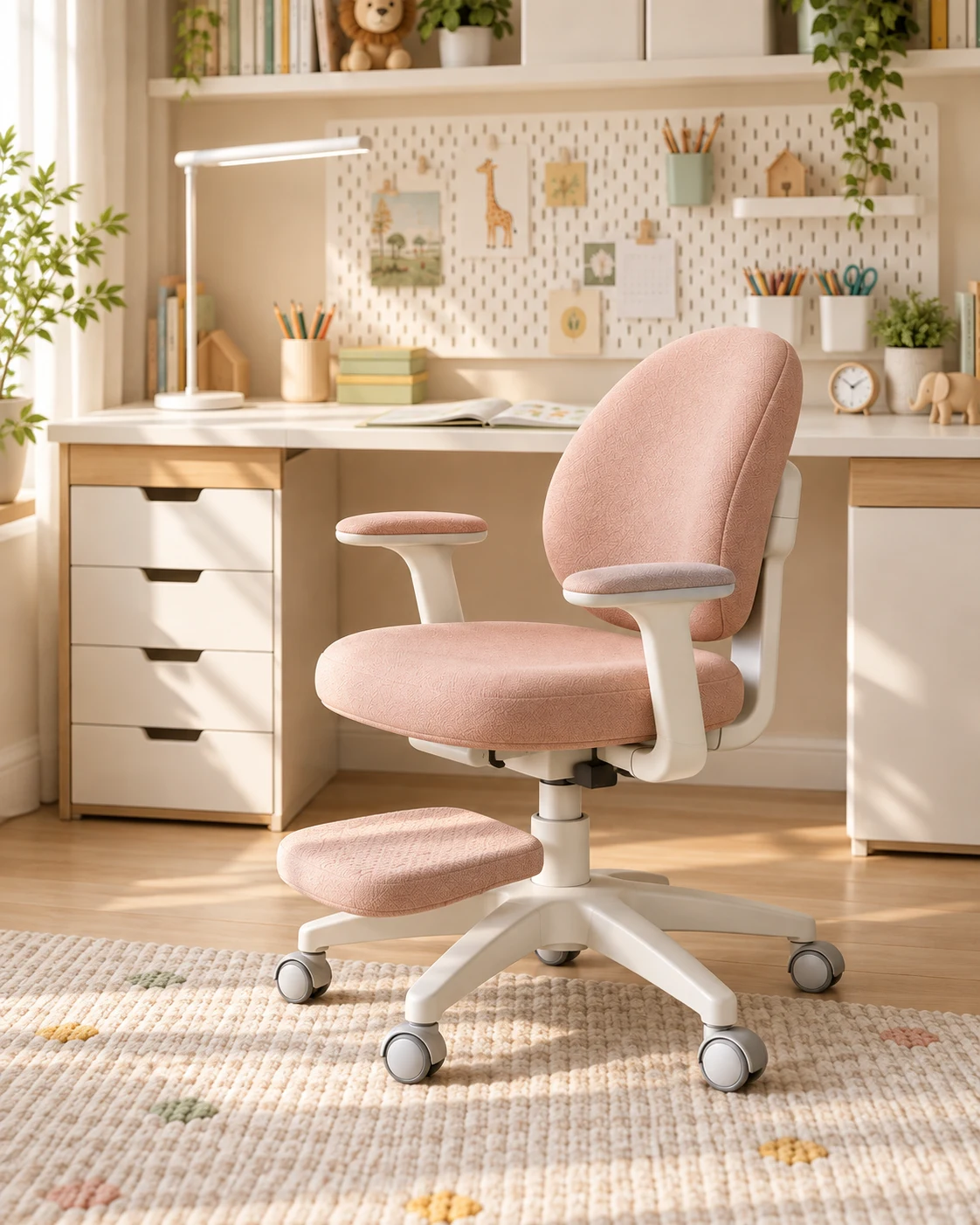
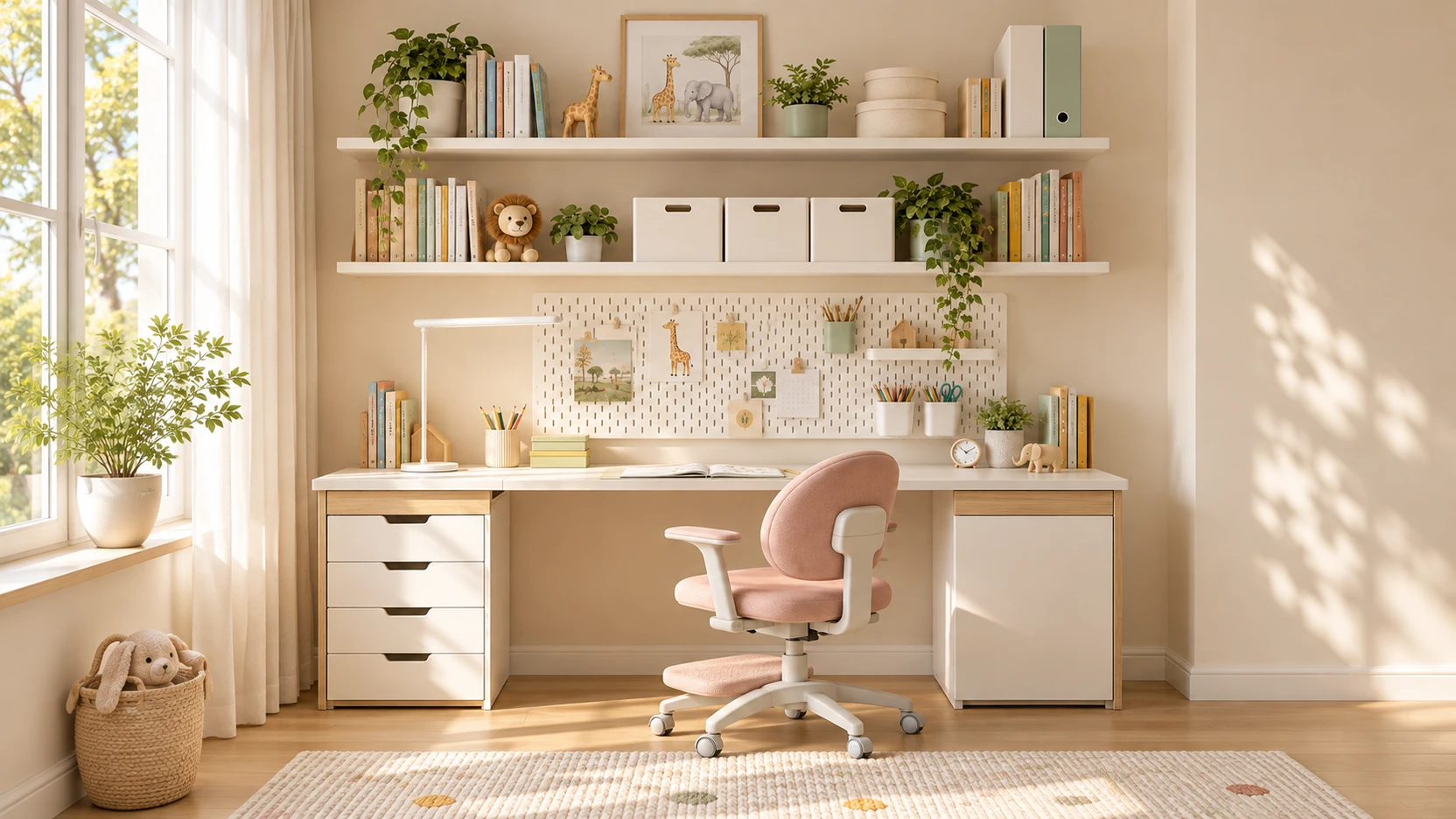
A pink chair changes the character of this child's study in front of a white and wood desk. Compare close-ups with a wider room view to explore its rounded backrest, pale frame, and the light falling on its fabric. This desk story focuses on the appearance of one chair. Rather than prescribing color percentages, it looks at outlines, surfaces, and how they change with the viewing angle. The chair is a visual reference; its actual retail model, adjustment features, and seating comfort have not been verified. Rounded outlines against a background of straight lines Behind the chair are rectangular drawers, the horizontal desktop, and a pegboard's repeating pattern. In front, the backrest has a rounded top and outward-curving sides. Similar curves repeat in the seat and armrest tops. Several parts reinforce the same impression rather than one rounded component standing alone. The close-up also reveals the gap between backrest and seat and the open space beneath the armrests. These keep the broad fabric surfaces from appearing as one solid mass. The object's outline and the background visible through it shape the scene alongside the pink color. Even if you are not replacing your chair, observe its shape. Different features may stand out from behind and from the side. Noticing the backrest's height, the visible frame, and the armrests' outline makes it easier to choose what to emphasize in a photograph or layout. Light changes the surfaces within the pink The fabric does not appear as a single flat color. Lit parts of the backrest are pale, while the seat edge and folded boundaries look darker. Fine texture and stitching become visible in the close-up. A broad area of one color still contains light, shade, and grain. Remembering only the color name would miss part of this scene. The same pink can look different on a glossy surface and one that diffuses light softly. When choosing an actual item, inspect fabric samples or detailed photographs as well as the color on screen. The visible texture cannot establish the fabric type or how difficult it is to clean. Looking soft and feeling comfortable during prolonged sitting are also different things. Read the photograph as a study of how light reveals a surface. Fabric surfaces stand out within a pale frame The frame supporting the backrest and seat is as light as the surrounding furniture. Because the column and wheeled base do not continue in a dark color, the fabric outlines stand out first in the close-up. Pink armrest tops also sit on light supports. From the side, pale components behind the backrest become visible; from an angled front view, more fabric appears. Different viewpoints change the balance of frame and color on the same object. This is why one product photograph cannot fully predict its appearance in a room. Compare the close-up with the view across the room In the close-up, the chair fills much of the frame, emphasizing its curves and surface. The angled room view includes the desk and window, showing where the chair sits within the study. One view describes the object itself; the other explains its relationship to its surroundings. Try taking one photograph close to your chair and another from the doorway or a room corner. Check whether the detail you liked up close remains visible and whether the backrest's direction changes its impression. After posing the chair for a photograph, return it to a comfortable position for sitting and moving. What catches your eye first in your room? Here, the pink chair's rounded outline takes that role. Choosing one prominent object and alternating between near and distant views can help you understand your own space more precisely. Connect the pink chair with study accessories Pink covers a large area on the chair, while books and boxes behind it add smaller yellow and green accents. The white and wood background keeps the chair central even when accessories use other colors. One object can define a room without repeating pink everywhere. To try a similar arrangement, choose something easy to change among your existing furnishings. Keep the chair and experiment with the color of a small sheet of paper or storage box. Photograph the desk with books and notebooks open after adding objects, checking that decorative harmony and usable study space remain together. Explore this space further Child's study desk tour: a white and wood desk with a pink chair Child's study desk organization: assign roles to the pegboard, shelves, and drawers
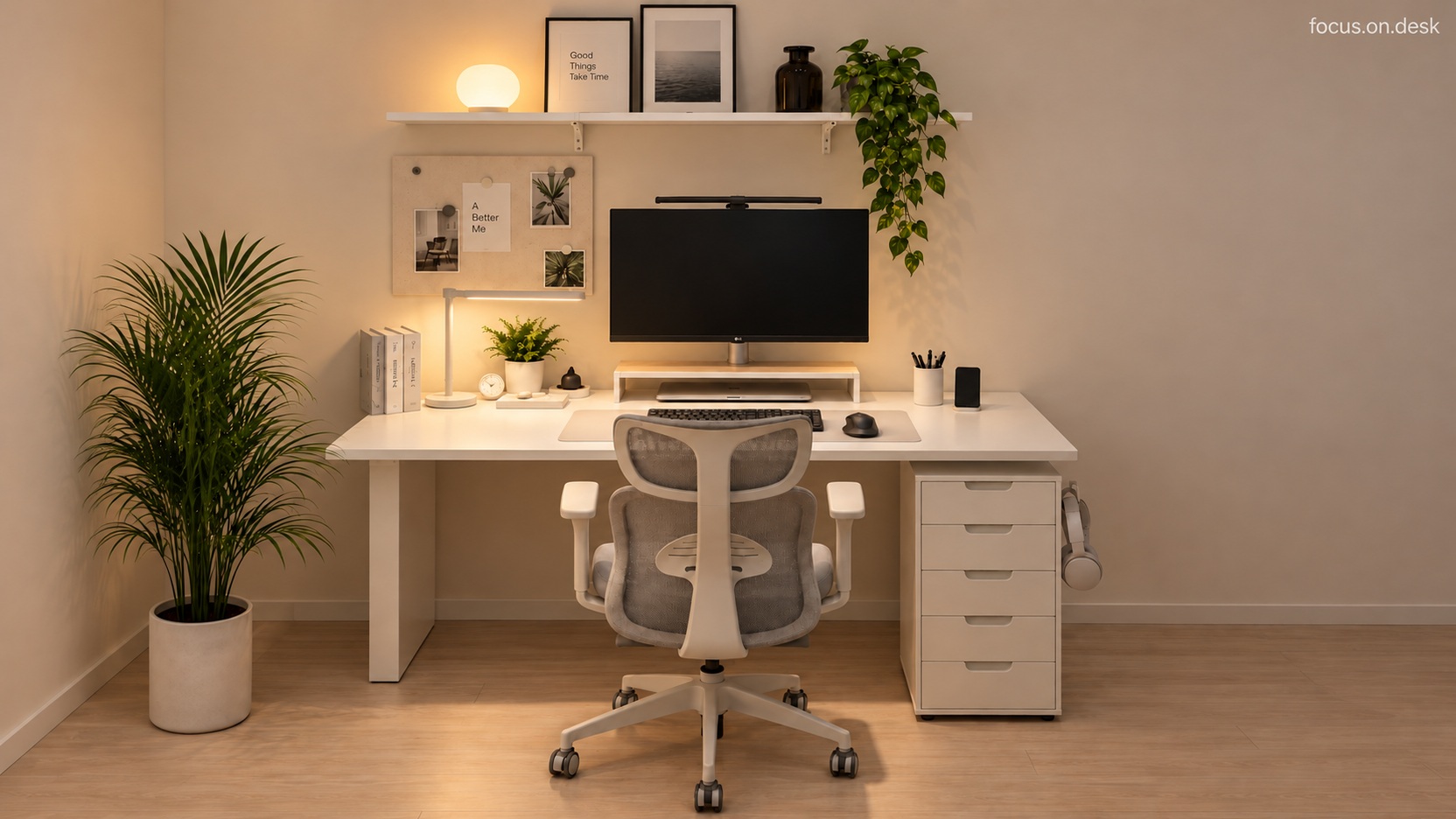
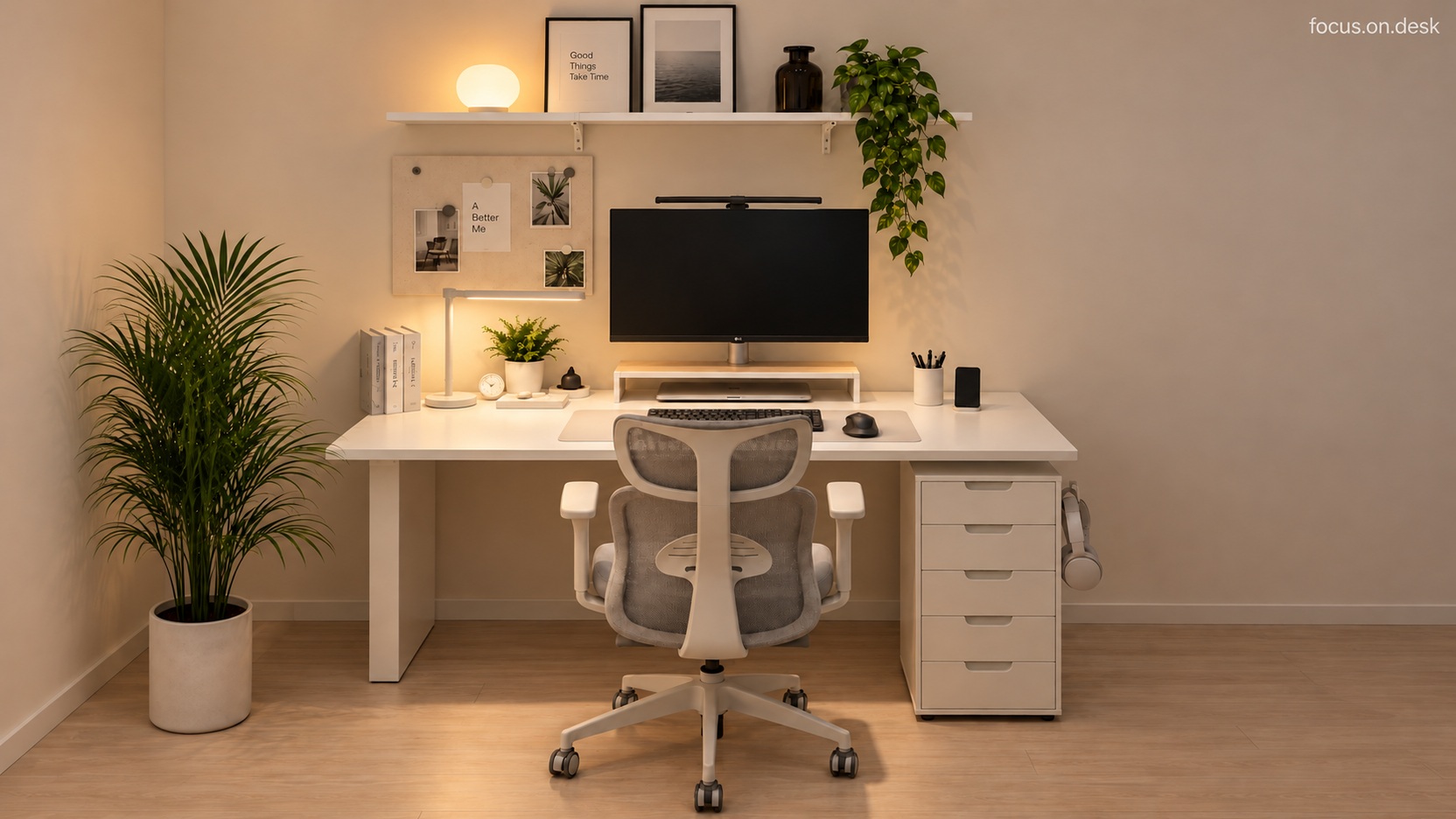
A beige mat, rounded lamp, and green plants accompany a white desk and gray mesh chair. Five views explore the colors that bring these light furnishings together and the separate roles of the monitor stand, shelves, and drawers. Why the white desk feels warm: subtle differences in beige and gray From the front, the white desktop and right-hand drawers form one bright surface. The chair combines gray mesh with a light frame. Rather than repeating identical white everywhere, the chair and mat introduce different light tones. The wall and wood-toned floor gently frame the white furniture. A white desk setup does not need all-white accessories. A beige mat on the desktop and gray at the seating area distinguish their functions while retaining the light impression of the larger furniture. Since small color differences stand out, compare them with your own walls and floor too. A rounded mood lamp and elongated task lamp divide the lighting heights The round lamp on the upper shelf leaves a yellow glow against the wall. An elongated task lamp on the desktop's left sits near books and a small plant. A slim bar-shaped device also appears above the monitor. The lights occupy different heights across the upper background and the working surface. Decide which surface you want to illuminate when borrowing this warm atmosphere. A wall light and a light for writing may belong in different places. The photograph's yellow hue cannot establish brightness or color temperature. Use a screen and notebook together to check reflections and hand shadows. A place for a laptop beneath the monitor stand The close-up reveals a monitor above a closed laptop tucked under its stand. A keyboard and mouse share the beige mat, with a small clock and plant to the left and a pen cup and upright phone to the right. Devices occupy different vertical levels while the input area remains clearly defined at the front. Check the stand's internal clearance before its overall size. Make sure your laptop slides in and out without catching and still fits with a charging cable attached. A device fitting in this photograph does not mean yours will. Also view the raised screen from your usual seated position. A wall shelf and floor plant extend the scene beyond the desk Above the desk, a white shelf groups frames and small objects. Trailing leaves fall from its right end, while a large floor plant on the left fills the blank wall beside the desk. Greenery is distributed at different heights rather than concentrated around the monitor. Look at walls, windows, and the floor as well as spare desktop space when adding plants. Choose actual positions around each plant's light requirements and your watering routine. Being able to move a pot away from electronics for watering helps decoration fit everyday care. Organize for opening drawers and moving the chair The right-hand drawer unit offers a place for stationery and spare items away from the desktop. An angled view reveals the width occupied by the chair and drawers and the open area below the desk more clearly than the front view. A relatively clear floor keeps the furniture's lines distinct. Finish by checking real movements. Can you open a drawer after pulling back the chair? Can you comfortably reach frequently used items while seated? Start by removing one awkward movement with your existing furniture rather than copying the photograph exactly; the idea will be easier to sustain. Product and styling notes The product tags are shopping alternatives. The pictured unit's lower casters and measured dimensions have not been verified against ALEX. ELLOVEN has a steel top and bamboo drawer, unlike the open wood stand shown. Explore this space further White home office desk tour: separate places for lighting, plants, and storage White desk styling guide: arranging lighting and plants at different heights Choosing white desk storage: comparing ALEX drawers and the ELLOVEN stand
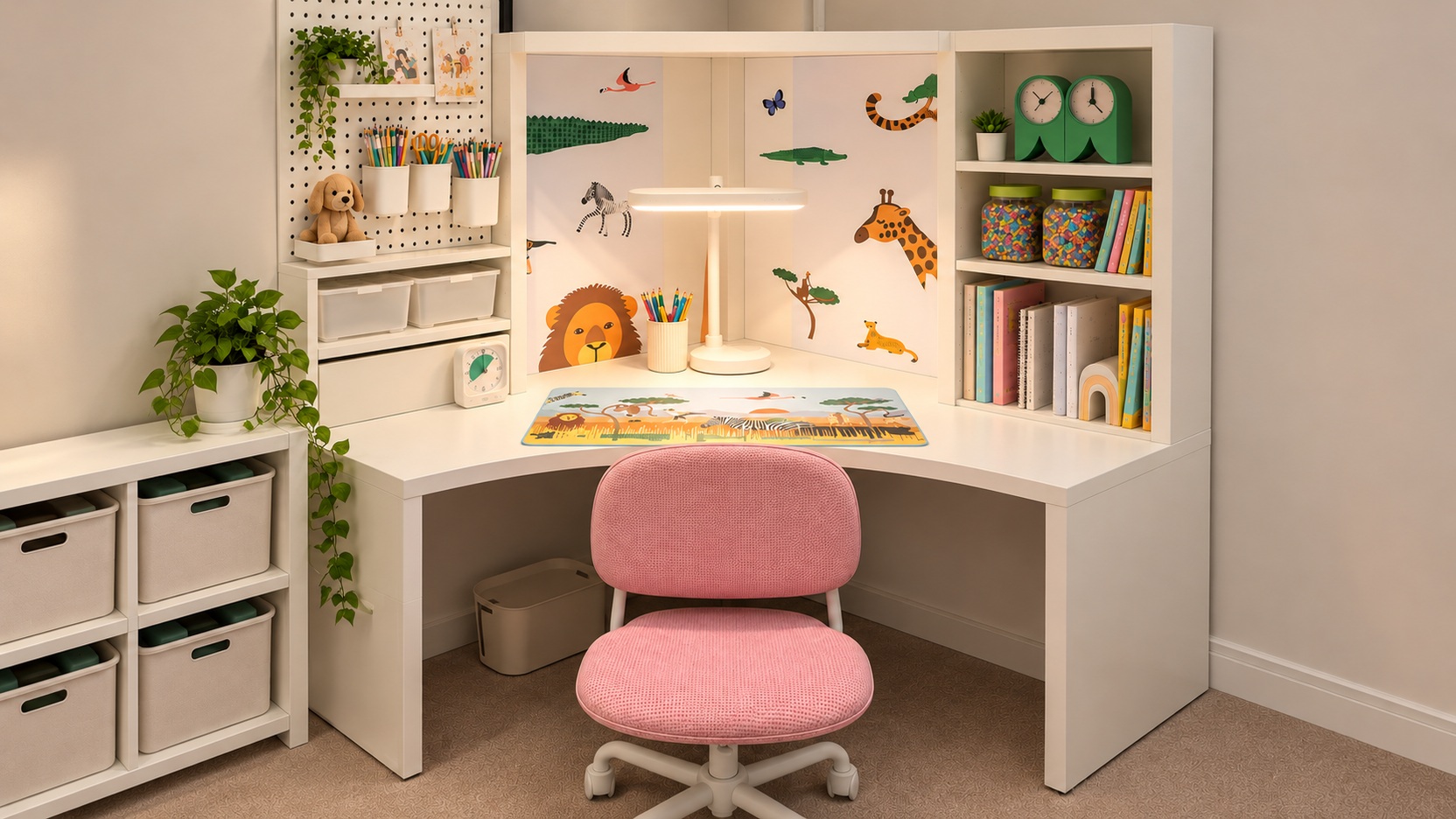
What if sitting down at your desk offered something to spark your imagination? Animal illustrations and a pink chair give this white corner desk room for both writing and enjoying favorite things. Fill the inside corner with a little story A lion, giraffe, and zebra gather at the back of the desk. Animal illustrations create a backdrop between white storage units, while an illustrated mat marks the working area. Decorating just the surfaces near the desk creates an atmosphere without covering the whole wall. Group favorite pictures in one area for an animal-themed study. Scattered illustrations and stationery can make the view feel busy. Keeping the story in the background and the front clear separates personal taste from working space. A pink chair and green accessories soften the white furniture The larger furniture stays white, while the chair and small objects introduce color. Pink fabric adds warmth at the desk's center, and green accessories connect the plants and animal illustrations. Different proportions of color allow the white desk's character to remain visible. Start with one noticeable object, such as the chair, when adding color to a child's study. Then repeat a similar color sparingly in accessories. Storage boxes do not all need different colors to make a cheerful space. Colored pencils to the left, books to the right Stationery gathers on the left wall and books on the right shelves. Moving smaller objects off the desktop reveals the central mat. Both sides of a corner desk are easy to fill, but here the usable area is clear when you sit facing inward. Begin with frequently used pencils and today's book already out. Check that the place you take an item from is close to where you return it. An arrangement that is easy to restore daily lasts longer than one that looks lovely just once. Leave enough space in the center for an open notebook An illustrated mat does not need to be covered with decorations. Writing and drawing require room to rotate paper. Compare the desk with one notebook open and with a sketchbook spread out too. Sit in the corner, pull the chair back, and try opening drawers on both sides. Your actual paper and chair are more reliable measures of desktop size and legroom than the photograph's proportions. Keep favorite themes easy to change A child's tastes may change over time. Simple furniture with pictures, a mat, and small accessories makes it easier to identify what to swap. The white desk provides that flexible foundation here. Choose one idea to borrow: the animal-filled backdrop or storage divided to either side. Instead of matching every accessory immediately, decide together where the child most often reaches. Product and styling notes The + product tags are shopping alternatives. MICKE's legs and shelving and ÖRFJÄLL's backrest and frame differ from those pictured. The 76 × 56 cm SKÅDIS board has separately sold accessories, and its size and hole pattern may differ from the image. More desk stories to explore Curiosity Grows at a Mint-Colored Desk A Red Chair Adds a Focal Point to a Wood and White Home Office
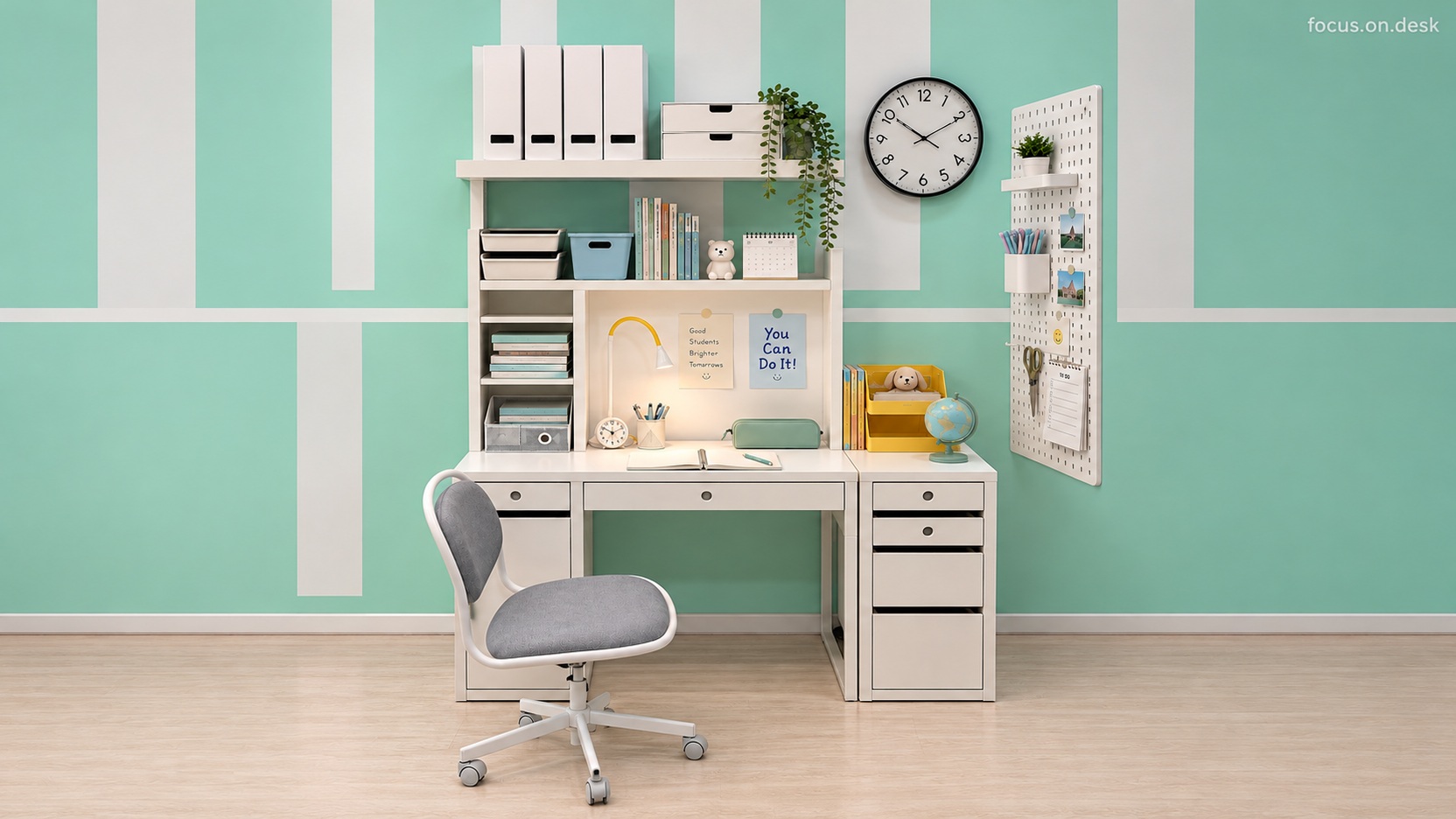
Do you sit down to study and have to find room for your notebook first? This mint and white student desk keeps the center clear and divides storage above and to the sides, making the study feel ready for an open book. The fresh pairing of mint walls and a white desk catches the eye first. Look closer and a yellow lamp, small globe, and trailing green leaves emerge one by one. Favorite objects sit naturally among study essentials, softening the impression of an otherwise orderly arrangement. Mint and white: balance broad surfaces with small accents White furniture balances the broad mint wall in this study. White lines on the wall connect with the furniture, tying the background to the desk, while a gray fabric chair adds a quiet middle tone. If you are unsure how much mint to use, consider keeping the furniture's larger surfaces white. Yellow repeats in small amounts in the lamp and right-hand organizer. Instead of concentrating a strong color on one side, it draws the eye across the desk. A mint pencil case and pens bring the wall's color closer to the desktop. Even with several colors, repeating small amounts of the same color on separate objects can connect a desk full of accessories. Desk organization begins with leaving one area open An open notebook and pen sit in the center, with a pencil case and pencil cup behind. Books and files occupy upper shelves and left-hand compartments; smaller items go into drawers and trays. The organizer on the storage unit to the right stays away from the central writing area. The arrangement seems to start with where to leave space rather than what else to add. Set out the textbooks and notebooks you normally use together before positioning organizers and pencil cups. Preserving that area reduces the chance of creating a lovely desk with too little working room. Keep frequently used items within seated reach and occasional materials higher up or farther back. Adapt the arrangement to your book sizes and sequence of movements rather than copying the image. Use a pegboard to extend storage beyond the desktop A white pegboard hangs on the right wall. Moving a pen container, scissors, notes, and small photographs onto it separates their role from objects on the desktop. Consider the wall when you need more storage, but check its material, mounting method, and comfortable seated reach before installation. There is no need to fill every stationery hook and memo spot immediately. Move a few everyday tools first and add more after checking that they are easy to reach. A full pegboard can become visually busy, so keep empty spaces as part of the arrangement too. Favorite objects make a place you want to return to A little toy among the books, a globe beside the notebook, and plants on the shelves give this space its expression. If a white desk feels plain, try placing one favorite object somewhere visible before adding large decorations. Even a small personal touch changes a study's mood. The yellow lamp also casts warm light toward the notebook. Borrow the atmosphere, but adjust the real lamp to avoid shadows from your hand or books. This desk offers more than a mint color: it preserves room to work, separates essentials, and adds a few favorite things. Which area of your desk could you clear today? Product tag notes The linked products are shopping alternatives for a similar look. The MICKE desk combination and mobile drawers differ from the pictured furniture's round handles, shelving, and supports. The 76 × 56 cm SKÅDIS board has separately sold accessories and may differ in size from the board shown. Check dimensions and included components before buying.
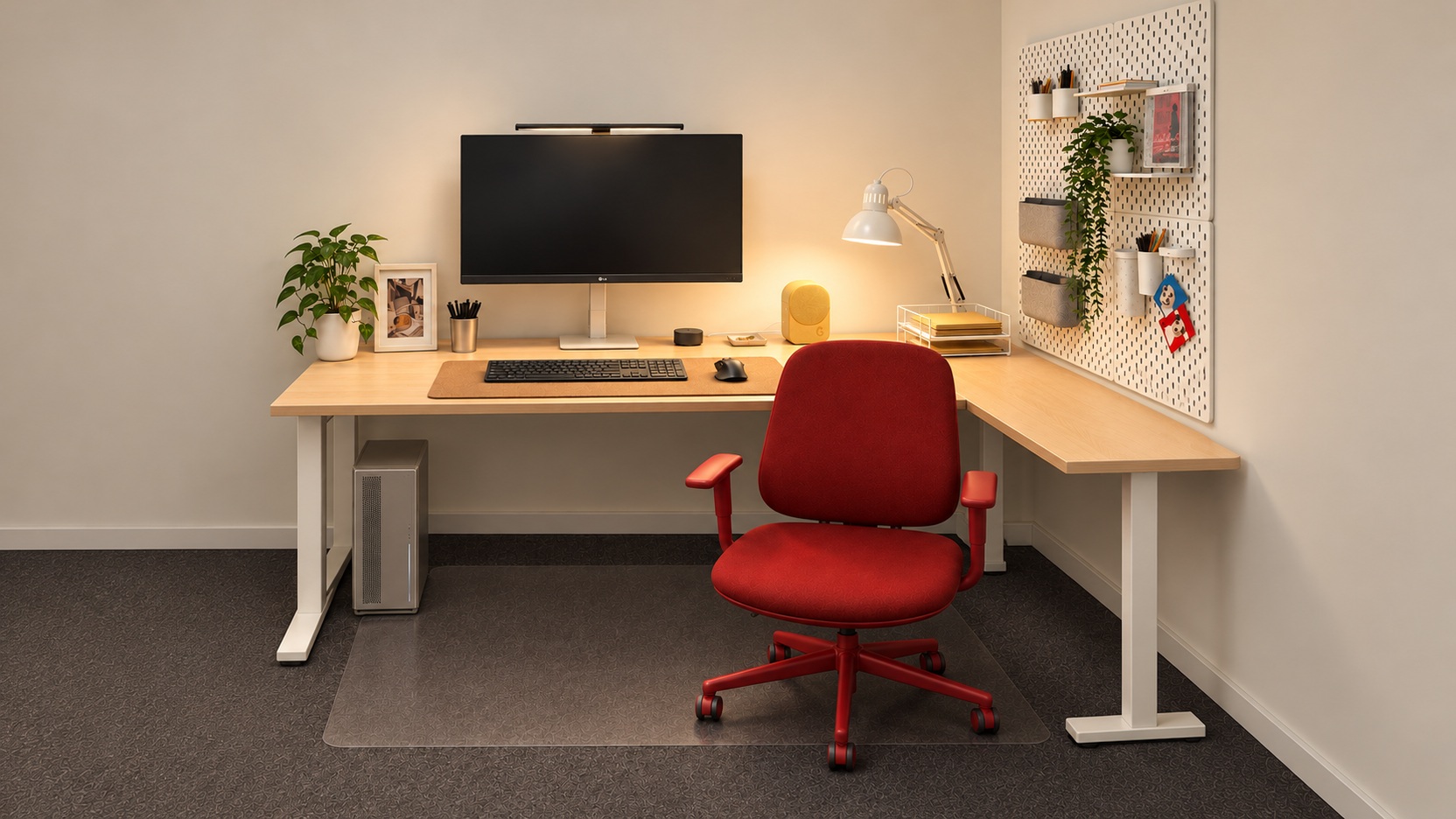
Can a room feel more distinctive without replacing the whole desk? A red chair between a light wood top and white frame offers one answer. This home office keeps its color vivid and the space in front of your hands simple. Let the red chair define the color balance The chair's red is the first thing you notice. Quiet desk and wall colors let one chair become the focal point. A strong color is concentrated on one substantial object rather than scattered everywhere. Look at your current desk and chair together before trying a red accent scheme. If the chair is already vivid, the mat and organizers need not match. See whether the chair is enough before adding smaller red accessories. Light wood grain and a white frame create the foundation The wood desktop provides a warm base between screen and chair. The white frame keeps the lower area light, while a cork-colored mat groups the input devices in a shade close to the desktop. The palette is limited, but the textures vary. Choose a mat by how it looks beside your actual desktop rather than by its color name. Similar browns can have different red or yellow undertones. Compare small samples or several product photographs to imagine the combination more clearly. Use the right-hand wall to preserve writing space Pens and small accessories move upward toward the right wall. With few organizers in front of the keyboard or at the desktop's center, it is easy to imagine both computer work and writing. Wall organization serves more than decoration here. Move everyday tools to comfortable reaching positions on a pegboard first. Start with a few pens and notes instead of filling it with accessories. The most useful positions depend on desk depth and mounting height. Keep yellow accessories and green leaves small Yellow and green appear in smaller areas than the red chair. Plants and accessories form its background while complementing the light wood grain. Choosing one dominant color makes adding small amounts of others easier. Check whether plants or small objects overlap the screen edge when you sit down. A front-facing view of the arrangement can hide positions that become distracting during use. Look again from seated eye level. Check the chair's movement in your own space Even an accent chair needs a separate assessment of shape and comfort. A photograph cannot establish seat height or adjustable armrests. Check whether the chair fits beneath the desktop and avoids nearby storage when you turn. The red chair's model has not been verified. Rather than searching for an exact match, borrow the approach of placing one vivid color against a light desk. Begin with your favorite color among existing furniture and simplify the surrounding objects. Product and styling notes The + product tags are shopping alternatives. SUSIG is a 65 × 45 cm cork pad; TERTIAL is a clamp-mounted reading lamp with a separately sold bulb; SKÅDIS is a 76 × 56 cm board with separately sold accessories. Their dimensions or installation may differ from the photo. The red chair's model is unverified. More desk stories to explore An Oak Desk with a Brass Lamp and Charcoal Input Devices A Wood Desk with Wall Shelves, a Camera, and Plants
 9 hours left
 1 day left
 2 days left
Cast a single vote and you'll see the results