DESK STORY · Work from Home
A White Desk Divided by a Wood Monitor Stand and Black Mat
Minimal · Work from Home desk setup

Taeyoung
September 25, 2026 · 9 views
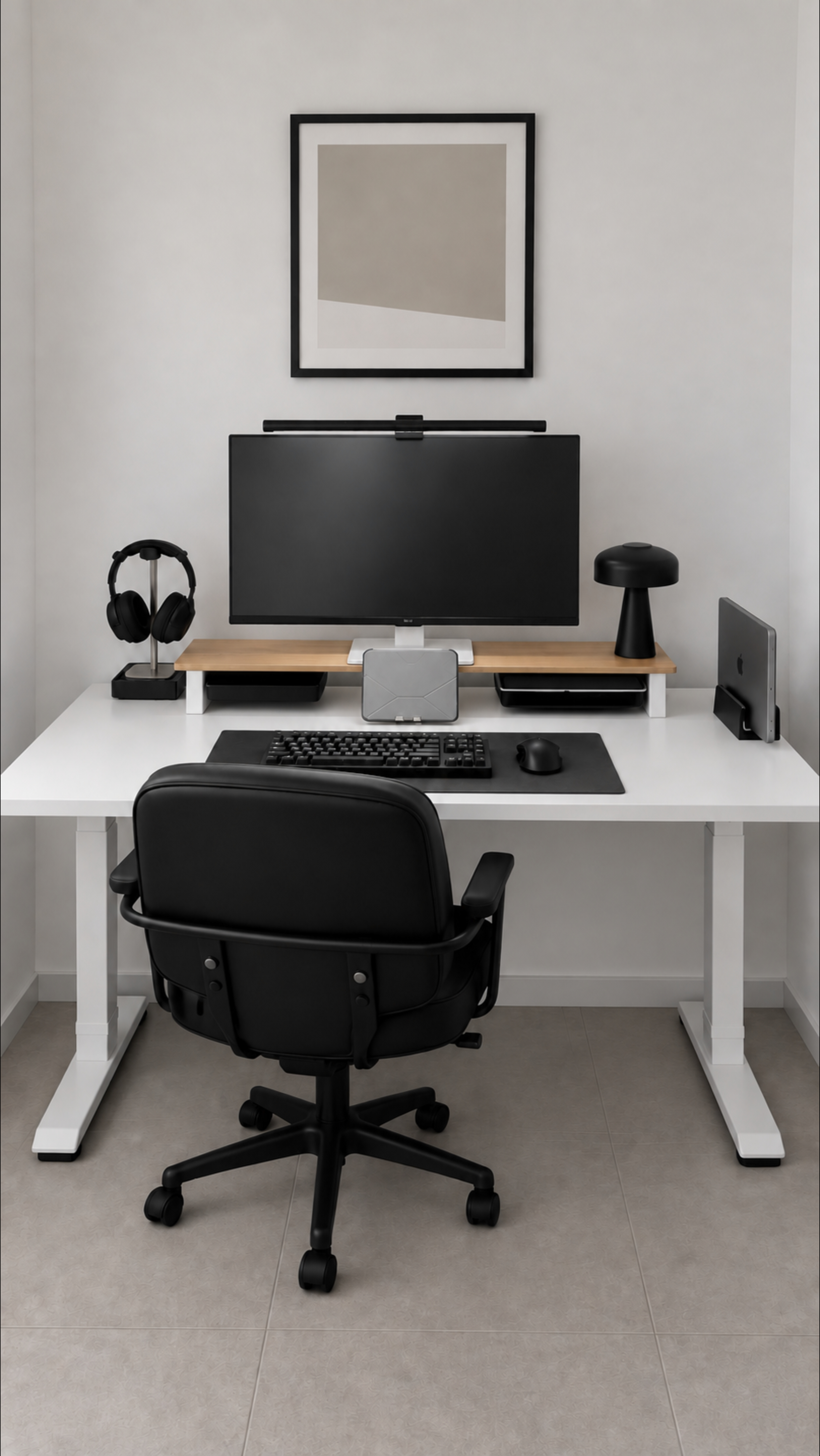
Organizing a white desk does not require replacing every device with the same color. A long wood-toned stand and black mat group equipment here. Explore how color and storage stay connected as screen arrangements change.
A wood horizontal line on a white desktop
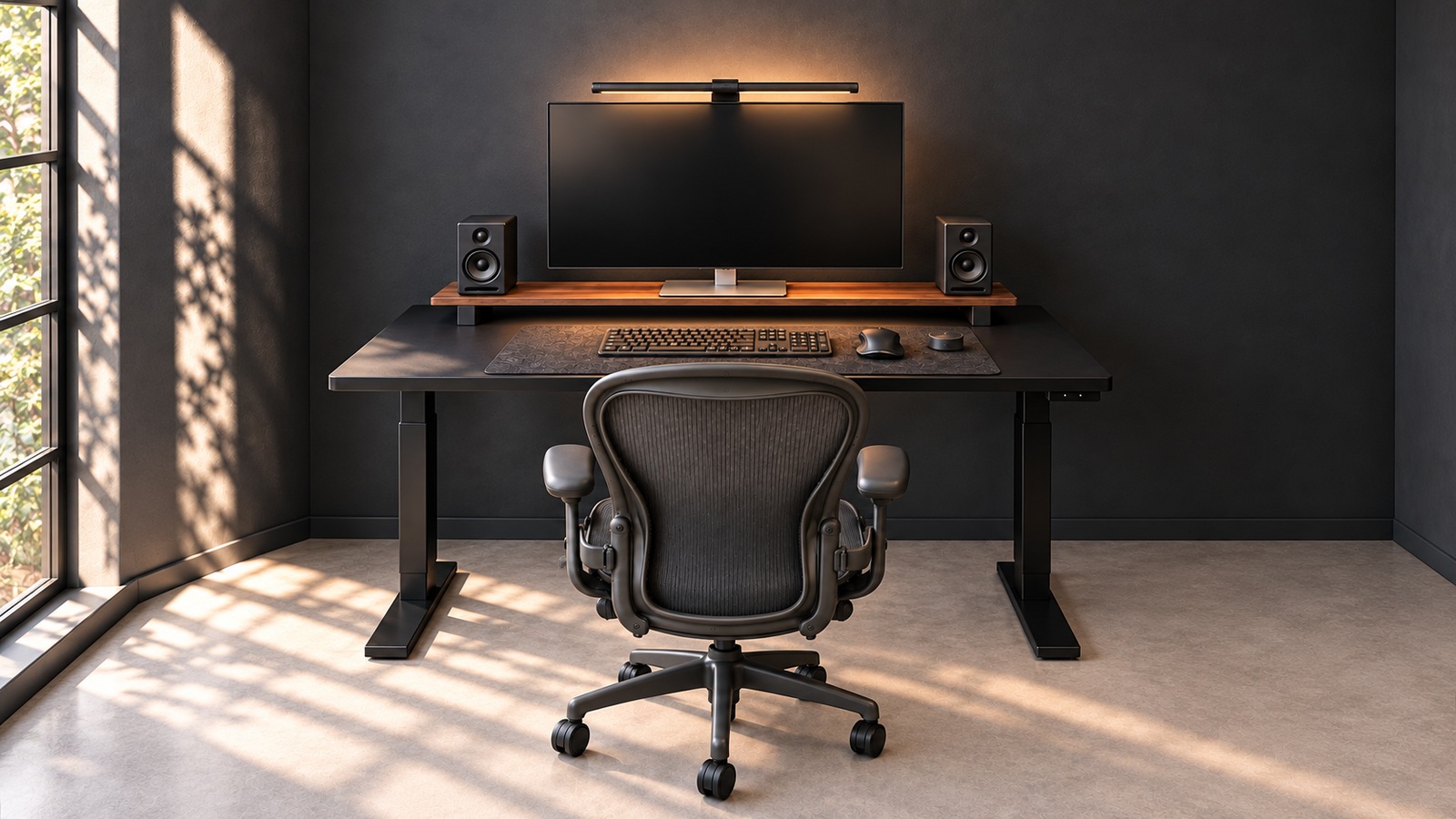
The long wood-toned stand beneath the monitor adds a warm layer and a boundary below the black screen. It introduces a smaller structure within the desktop without replacing the furniture.
Check the monitor base's footprint and weight against the stand's support requirements. Looking long does not mean a stand can carry every device together. Check screen height from your normal seat too.
A black mat defines the input area
The keyboard and mouse gather inside the black mat. Contrast with the white top makes the hand-level area clear. Beneath the wood stand, the mat creates another horizontal plane.
Find comfortable positions in front of your body before centering devices on the mat. Test days when a notebook or mobile device joins them. If every change of task means major rearrangement, leave more space around the mat.
A tray below, stands to either side
A tray sits under the monitor stand, with places for headphones and a laptop on the sides. Objects easily spread flat across a desk are divided by height and use, keeping the front from becoming storage.
Ensure frequently used items are not trapped inside storage. Tools removed while still connected need rear cable clearance. Prioritize simple retrieval and return over hiding everything neatly.
Switch between external and laptop screens
The gallery includes an external-monitor arrangement and another using the laptop screen directly. White, black, and wood connect both. Equipment can adapt to the work without restyling the entire desk.
Check how power and connection cables move between arrangements. See whether input positions feel awkward after changing screens. A setup that returns easily to your usual combination is more convenient.
An orderly desk depends on its user
Symmetry and straight lines look stable in photos, but each person needs different working space. Which hand picks up headphones and how often the laptop moves affect the best positions.
Start with the three-color palette and a designated place for each object. Clear the top and return everyday tools one by one. Adjusting during use reflects your habits better than perfect alignment from the outset.
More desk stories to explore
Products in this photo 0
You can also tap + on the photo to see them