DESK TOUR
Wood home office with tablet and monitor, assign seats for each device
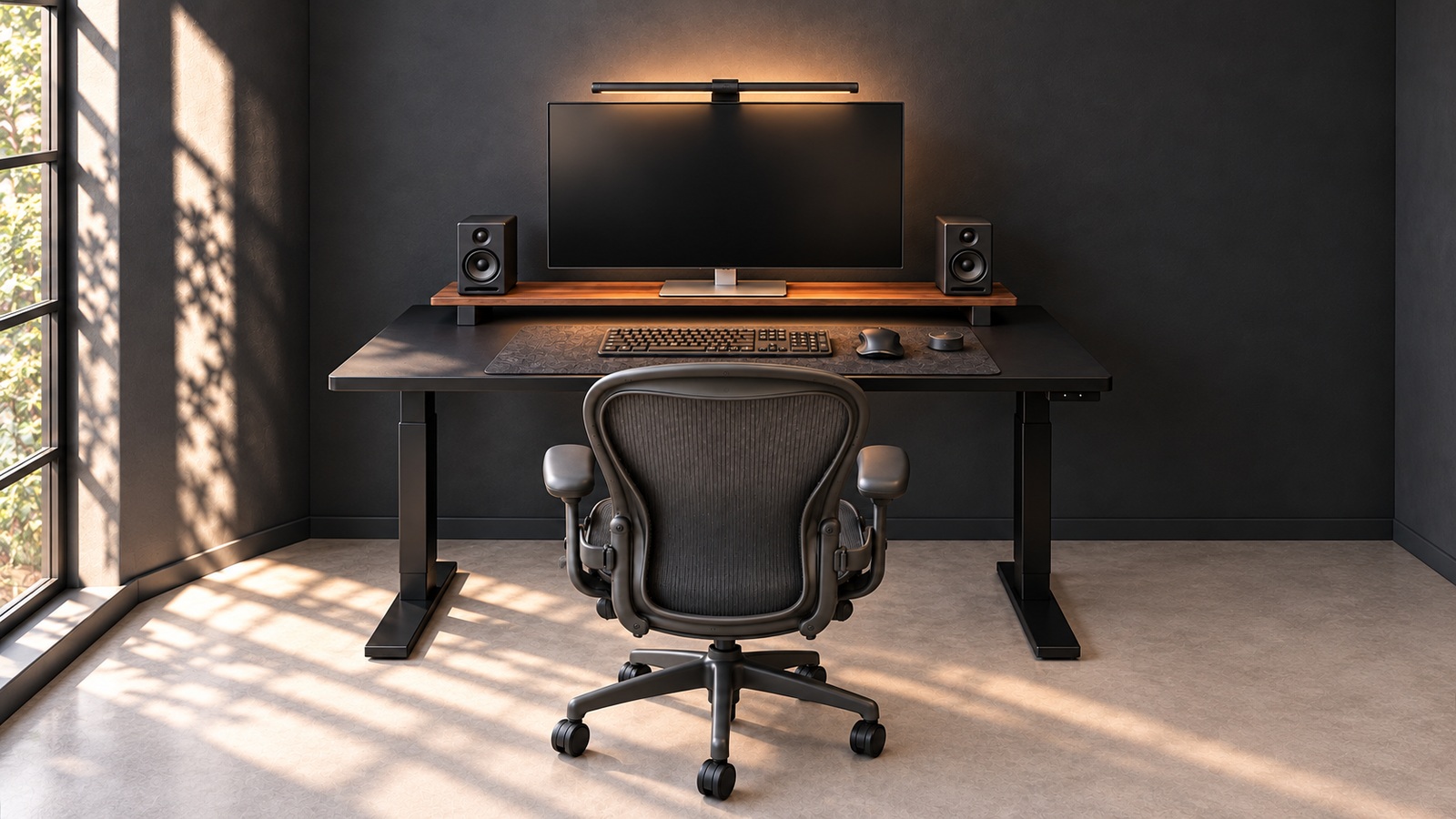
Should multiple screens make your desk more complicated? This home office divides the space for tools into a wooden stand under the monitor, a tablet in front, and a stand on the side. Rather than increasing the number of devices, we first look at locations that do not overlap each other.

- Deployment Configuration
- Monitor · Front Tablet · Wood Stand
- organizing points
- Separate tools from the top and bottom of the stand and stand.
Introducing the layout and texture seen in the photo. This review does not confirm the height adjustment range, actual sitting and standing habits, or the exact model of the equipment. Please compare the functions and installation conditions of the connected product based on the actual product instructions.
Divide the height between the top and bottom of the wood stand.
The stand below the monitor continues in a wood color similar to desktop. Small props and headphones are placed on top, and devices are placed below, dividing the space into tiers. This configuration is designed so that they do not all occupy desktop at the same height.
When using a stand, check the weight and support conditions of the screen. If you put equipment underneath, you need space for ventilation and connection cables. Rather than just focusing on the external size, it is better to look at whether there is room to actually take it out and manipulate it.